The SABRENT 4 Port USB 2.0 Hub review is most relevant to people who need a small way to connect several USB peripherals to one compatible device.
Its rotating connector can adjust to different port orientations, while its USB 2.0 design and lack of charging support define what it can—and cannot—handle.
SABRENT USB Hub Review Summary
The quick verdict
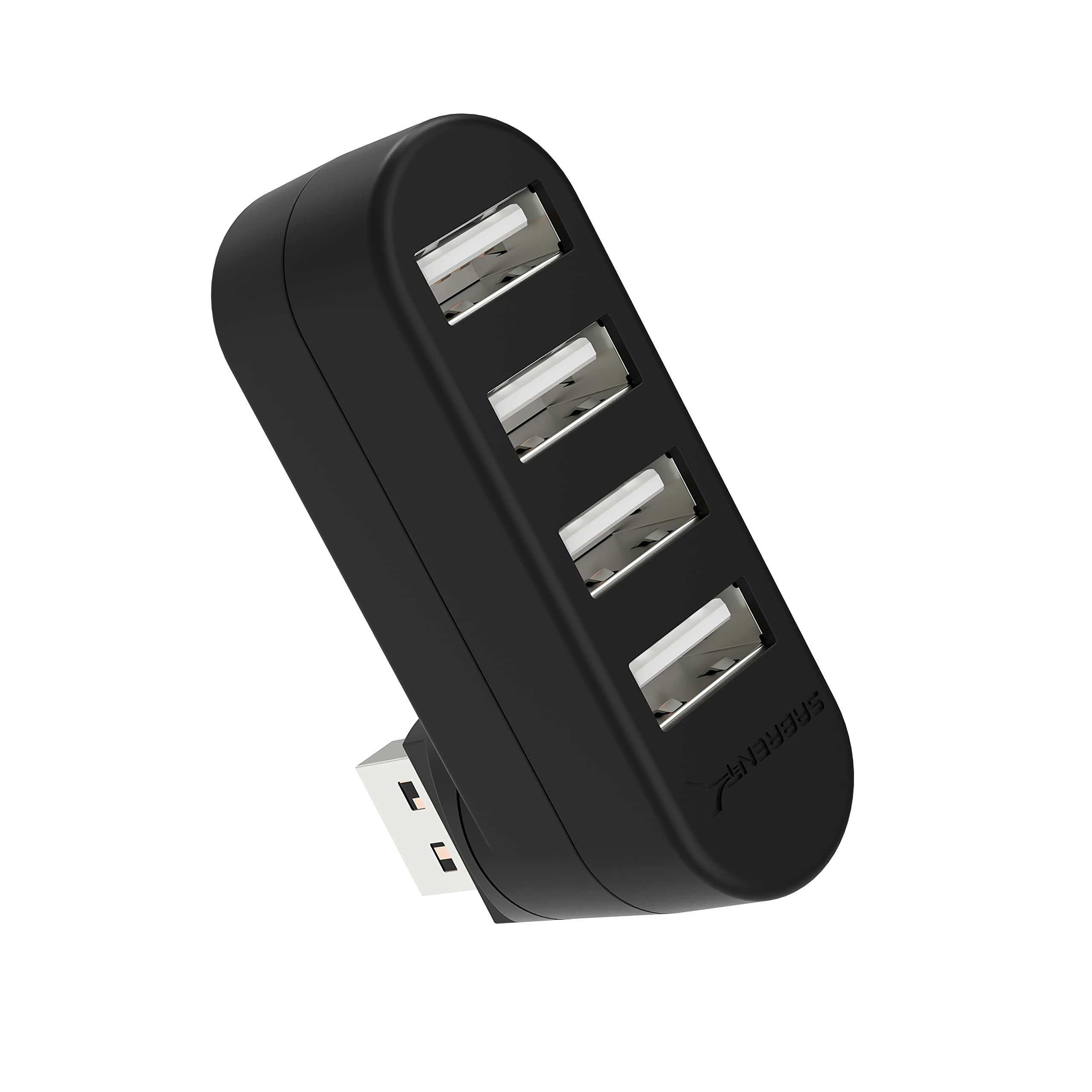
16,000+ ratings
Read Amazon ReviewsSABRENT 4 Port USB 2.0 Hub
A compact, rotatable four-port hub for buyers who need extra USB 2.0 connections for everyday peripherals and do not need device charging.
- Four USB 2.0 ports add connections to a compatible device.
- USB 2.0 data transfer rate is listed as up to 480 Mbps.
- The USB connector rotates 90 or 180 degrees to adjust its orientation.
- Plug-and-play setup supports hot swapping and hot plugging.

Pros
- Four ports give a small setup room for several everyday USB peripherals.
- The rotating connector gives flexibility where a straight plug may be awkward.
Consider before buying
- USB 2.0’s listed maximum of 480 Mbps is modest for frequent large-file transfers.
- It does not support charging, so it cannot serve buyers looking to power connected devices.
Read the full review summary
This hub adds four USB 2.0 ports in a compact plastic body measuring 2.3 by 0.7 by 1.7 inches and weighing one ounce.
Its connector rotates 90 or 180 degrees, which can help position the hub around a host device’s port and nearby cables.
Plug-and-play setup, hot swapping, and compatibility with Windows, Mac, and Linux make it suited to straightforward peripheral expansion.
The key buying question is whether four USB 2.0 connections are enough for your setup.
The listed maximum transfer rate is 480 Mbps, and charging is explicitly unsupported, so this is best considered for data peripherals such as a keyboard, mouse, or other compatible USB devices—not as a charging station or a faster hub for demanding storage workflows.
Check the ports and power needs of the devices you plan to connect before choosing it.
The buying factors
SABRENT USB Hub Scorecard
Editorial scores reflect listed features and buyer fit; they are not laboratory measurements or customer ratings.
Port expansion
Four downstream USB 2.0 ports provide a useful increase for a small peripheral setup.
Connector flexibility
The connector rotates by 90 or 180 degrees, offering useful positioning options at the host port.
Portability
Its compact dimensions and one-ounce weight suit travel or a crowded desk.
Setup simplicity
Plug-and-play operation and hot swapping are intended to keep routine connections straightforward.
Transfer speed fit
The 480 Mbps maximum is appropriate for basic USB 2.0 use, but it is a limiting ceiling for faster data workflows.
Charging usefulness
Charging is explicitly unsupported, so buyers needing device power should choose a different design.
Key Features and Specifications of SABRENT USB Hub
- Four USB 2.0 ports add connections to a compatible device.
- USB 2.0 data transfer rate is listed as up to 480 Mbps.
- The USB connector rotates 90 or 180 degrees to adjust its orientation.
- Plug-and-play setup supports hot swapping and hot plugging.
- Compatibility is listed for Windows, Mac, and Linux systems.
- Compact plastic enclosure measures 2.3 by 0.7 by 1.7 inches and weighs one ounce.
- Charging is not supported.
Pros and Cons of SABRENT USB Hub
Pros
- Four ports give a small setup room for several everyday USB peripherals.
- The rotating connector gives flexibility where a straight plug may be awkward.
- Lightweight, compact construction is convenient to carry or keep beside a computer.
- Plug-and-play and hot-swappable operation reduce setup friction for routine use.
Consider before buying
- USB 2.0’s listed maximum of 480 Mbps is modest for frequent large-file transfers.
- It does not support charging, so it cannot serve buyers looking to power connected devices.
- The compact form concentrates four connections near the host port; check that attached plugs and cables have enough room in your setup.
Who Should Buy SABRENT USB Hub?
Good fit
Consider this hub if your main goal is to connect several basic USB peripherals while keeping your desk kit small.
Four ports can accommodate a simple combination such as input devices and other compatible accessories, and the plug-and-play design suits users who want to connect without a complicated setup.
The rotating connector is a useful detail when the host port’s orientation or nearby objects make a fixed plug inconvenient.
Before buying, check the host device’s available USB port, the dimensions of your existing plugs, and the data needs of the devices you want to attach.
This helps confirm that the hub’s physical layout and USB 2.0 ceiling fit your routine.
It is a better fit for expanding access to everyday peripherals than for building a high-speed workstation.
If the devices mostly send modest amounts of data and do not need hub-based charging, the small footprint and four-port layout are the main reasons to consider it.
Who should skip it
Skip it if your setup depends on charging phones, tablets, or other devices through the hub; charging is unsupported.
Look for a faster USB hub if you regularly move large files or need transfer rates above the listed USB 2.0 maximum.
Also compare the host port and connected-device plugs if a tight cluster of cables would be inconvenient.
SABRENT USB Hub: What the Rotating USB 2.0 Design Means
Flexible placement at the host port
A connector that rotates 90 or 180 degrees can make a small hub easier to position when the host port faces an inconvenient direction.
That flexibility may help reduce awkward cable bends, though the best orientation depends on the device and surrounding space. Consider the size and direction of your peripherals before deciding whether the compact layout will work at your desk.
Four ports for everyday peripherals
The hub’s four USB 2.0 ports are intended to expand one compatible connection into several.
This suits a modest collection of peripherals, but the number of ports alone does not establish that every combination will meet a particular device’s power or performance needs.
Check the requirements of your devices if you plan to connect several at once.
A clear speed boundary
The listed data rate reaches up to 480 Mbps, placing the product in the USB 2.0 category. That can make sense for routine connections where top transfer speed is not the priority.
Buyers who often transfer large files should consider whether a faster interface would better match their workload.
Small and simple, without charging
At one ounce and under three inches in its longest listed dimension, the hub is easy to fit into a travel kit or keep near a laptop. Its straightforward plug-and-play approach also avoids a complex setup.
The explicit charging limitation matters, however: use it for compatible USB connections rather than expecting it to power devices.
Alternatives to SABRENT USB Hub
USB Hubs alternative
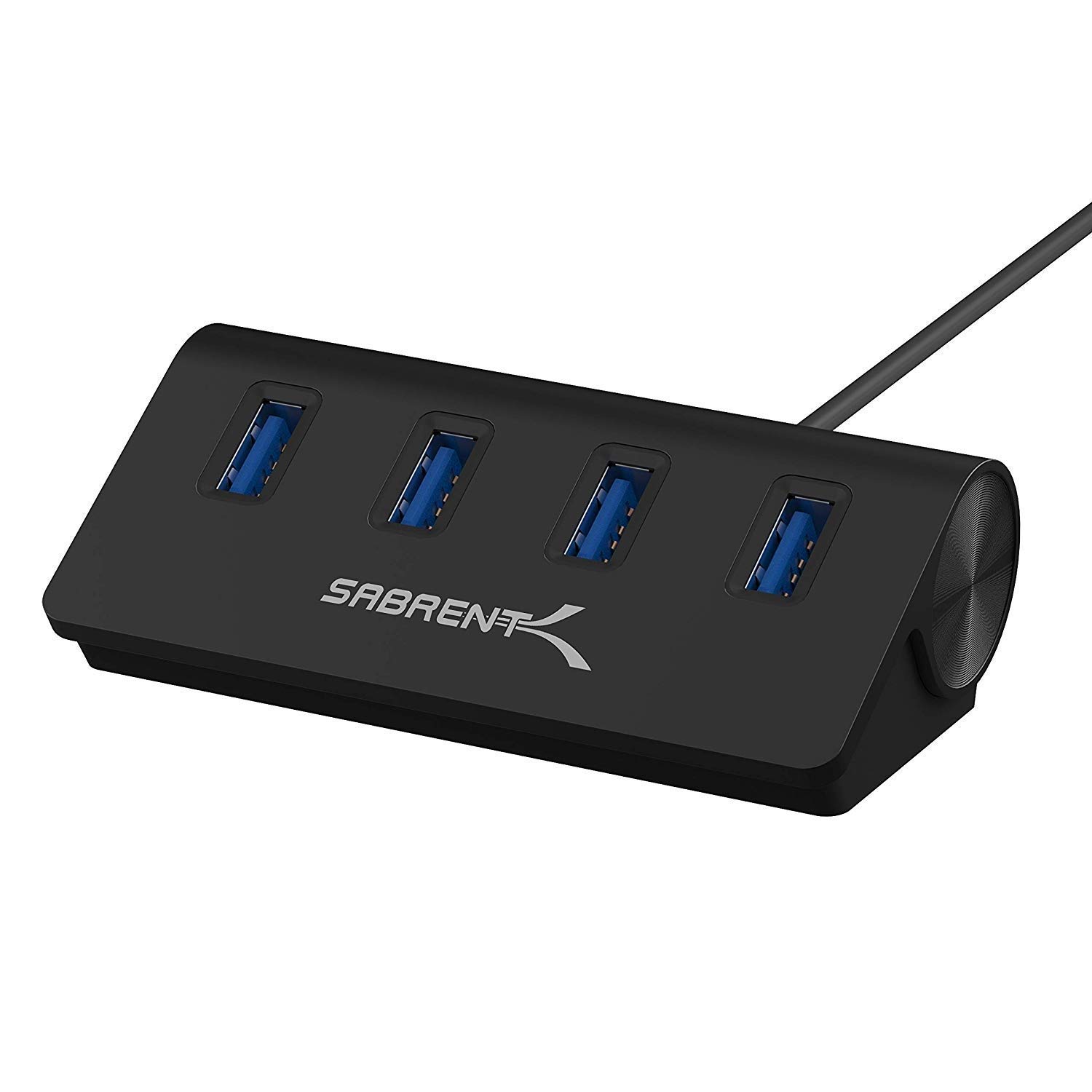
2,000+ ratings
Read Amazon ReviewsSABRENT 4-Port Aluminum USB 3.0 Hub (HB-MC3B)
Choose the reviewed model if a compact rotating connection and basic USB 2.0 expansion suit your setup. Consider the HB-MC3B if you want four ports with a faster listed data rate and a longer cable for placement flexibility.
- This alternative provides four USB 3.0 ports, a 2.5-foot cable, and transfer speeds up to 5 Gbps; it is described as compatible with Windows, Mac, and Linux.
- The reviewed hub has four USB 2.0 ports, a rotating connector, and a compact form, with a listed transfer rate up to 480 Mbps.
USB Hubs alternative
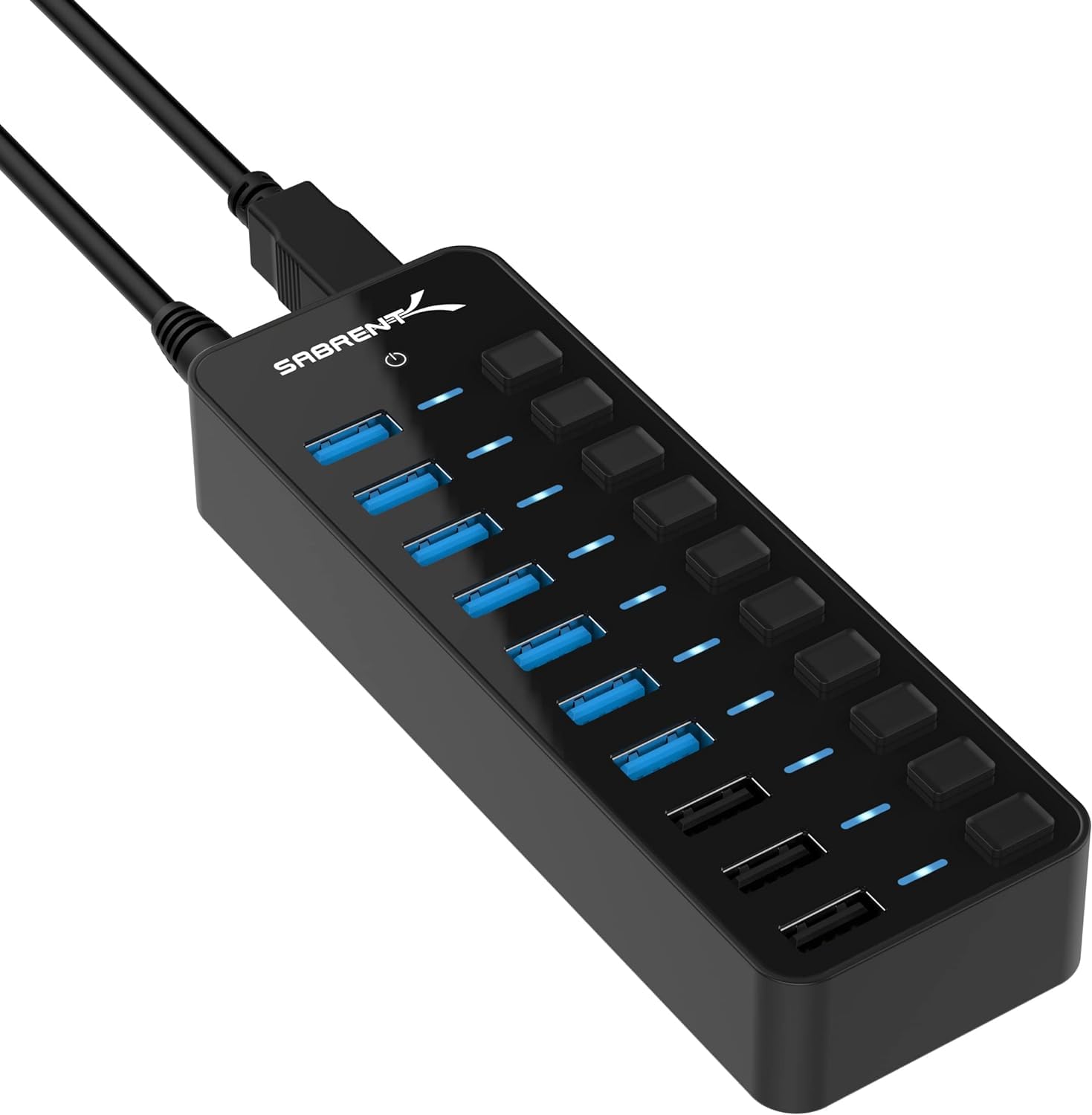
6,000+ ratings
Read Amazon ReviewsSABRENT 10-Port Powered USB 3.0 Hub (HB-B7C3)
Choose the reviewed hub for a small, simple peripheral setup that does not need charging. The HB-B7C3 better fits a larger desk setup that calls for more data ports, dedicated charging, and supplied external power.
- The HB-B7C3 offers up to seven USB 3.0 data connections, three dedicated smart-charging ports, individual port switches and LEDs, and an included 60W power adapter.
- The reviewed hub is a compact four-port USB 2.0 option and does not support charging.
Is SABRENT USB Hub Worth It?
The SABRENT 4 Port USB 2.0 Hub is worth considering when you want a compact, lightweight way to add four connections for everyday USB peripherals.
Its rotating connector and simple setup make it a practical fit for a modest desk or travel kit.
Buy it only if USB 2.0 speed and the lack of charging support match your needs. For frequent large transfers, a faster hub is a better fit; for charging, choose a model designed to provide it.
Your review at a glance
16,000+ ratings
Read Amazon ReviewsSABRENT 4 Port USB 2.0 Hub
A compact, rotatable four-port hub for buyers who need extra USB 2.0 connections for everyday peripherals and do not need device charging.
- Four USB 2.0 ports add connections to a compatible device.
- USB 2.0 data transfer rate is listed as up to 480 Mbps.
- The USB connector rotates 90 or 180 degrees to adjust its orientation.
- Plug-and-play setup supports hot swapping and hot plugging.