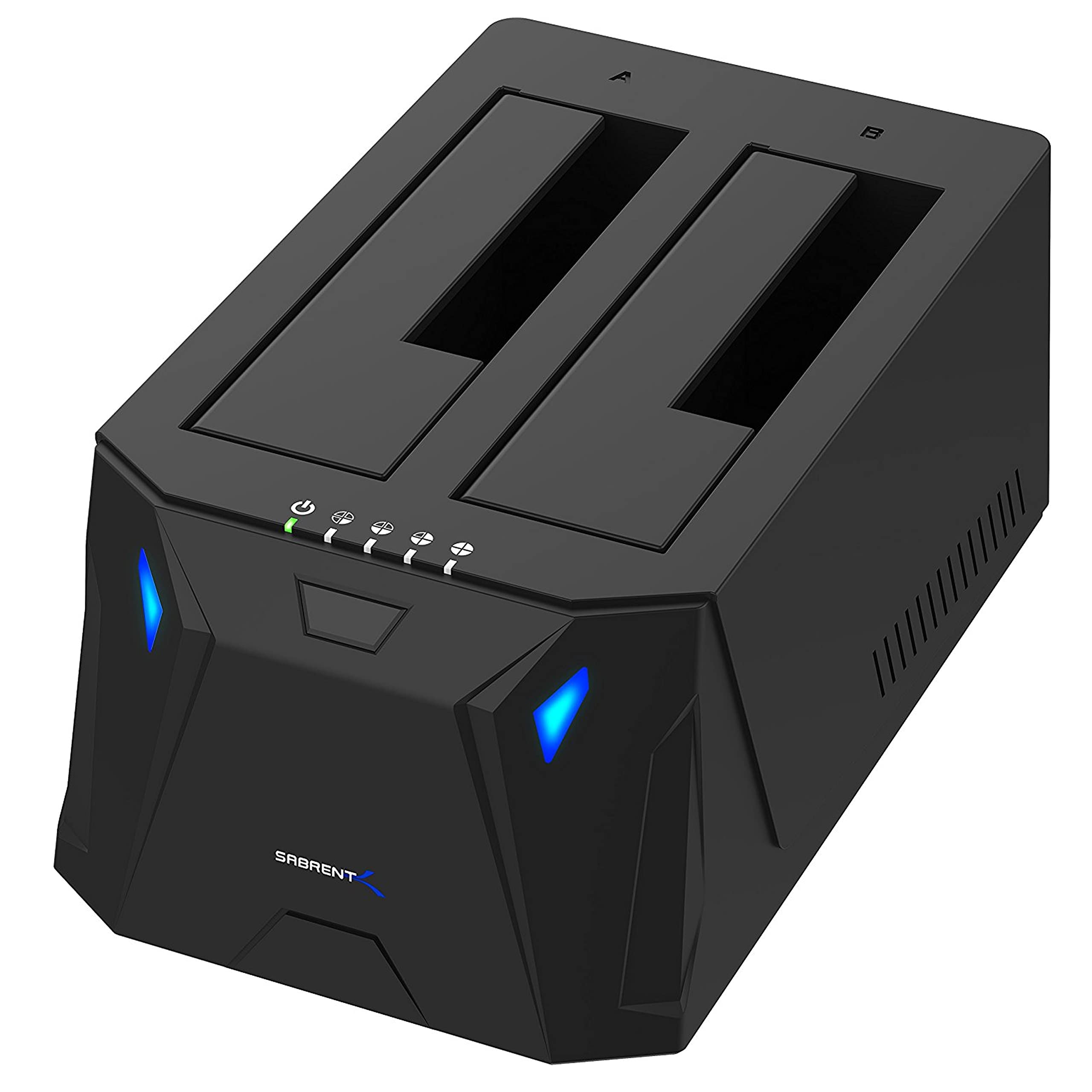
The SABRENT EC-HD2B is a dual-bay USB 3.0 dock for accessing standard 2.5- and 3.5-inch SATA hard drives and SSDs, with an offline cloning function for direct drive-to-drive copying.
This sabrent ec hd2b review looks at its useful combination of drive access and cloning, along with the capacity and speed details buyers should weigh before choosing it.
SABRENT EC-HD2B Review Summary
The quick verdict
17,000+ ratings
Read Amazon ReviewsSABRENT EC-HD2B
A practical fit for buyers who need to connect or clone 2.5- and 3.5-inch SATA drives without installing them inside a computer.
- Dual-bay design for two standard 2.5-inch or 3.5-inch SATA HDDs or SSDs.
- Compatibility with SATA I, SATA II, and SATA III drives.
- Offline drive cloning, with a stated cloning speed of up to 60Mbps.
- USB 3.0 host connection with transfer speeds up to 5Gbps; also supports USB 2.0 up to 480Mbps and USB 1.1 up to 12Mbps.

Pros
- Combines a dual-bay SATA dock with offline cloning in one device.
- Accepts both 2.5-inch and 3.5-inch SATA HDDs and SSDs.
Consider before buying
- The capacity information is inconsistent, so owners of larger drives should confirm support before buying.
- The stated offline cloning speed is up to 60Mbps, which may make cloning a large drive a slower process.
Read the full review summary
The EC-HD2B is designed to make bare SATA drives easier to connect for file access, transfers, and cloning.
It supports SATA I, II, and III drives, works with both HDDs and SSDs, and requires no drivers for plug-and-play use.
A USB 3.0 connection offers transfer speeds up to 5Gbps, while the dock also supports USB 2.0 and USB 1.1 at their respective stated limits.
Its two-bay layout and offline cloning feature make it relevant to people moving data between drives or using separate drives for backups and projects.
The supplied details give two different capacity figures: the title refers to 20+TB support, while the product bullets specify hard drives up to 10TB.
Buyers with high-capacity drives should confirm the dock's supported capacity for their specific setup before relying on it.
The buying factors
SABRENT EC-HD2B Scorecard
Editorial scores reflect listed features and buyer fit; they are not laboratory measurements or customer ratings.
Drive compatibility
Supports standard 2.5- and 3.5-inch SATA HDDs and SSDs across SATA I, II, and III.
Everyday transfer potential
USB 3.0 supports speeds up to 5Gbps, with backward compatibility at lower USB standards.
Cloning convenience
Offline cloning can copy from one drive to another without requiring a computer for the cloning process.
Setup simplicity
Plug-and-play operation requires no drivers, which helps keep initial setup straightforward.
Capacity clarity
The supplied descriptions give both a 10TB drive limit and a 20+TB support reference, so buyers should confirm their intended drive's compatibility.
Use-case flexibility
Two drive bays, USB access, and offline cloning cover several common SATA drive tasks.
Key Features and Specifications of SABRENT EC-HD2B
- Dual-bay design for two standard 2.5-inch or 3.5-inch SATA HDDs or SSDs.
- Compatibility with SATA I, SATA II, and SATA III drives.
- Offline drive cloning, with a stated cloning speed of up to 60Mbps.
- USB 3.0 host connection with transfer speeds up to 5Gbps; also supports USB 2.0 up to 480Mbps and USB 1.1 up to 12Mbps.
- Plug-and-play operation with no drivers required.
- The product title references 20+TB support, while its bullets list support for hard drives up to 10TB; verify the relevant capacity for your drive.
Pros and Cons of SABRENT EC-HD2B
Pros
- Combines a dual-bay SATA dock with offline cloning in one device.
- Accepts both 2.5-inch and 3.5-inch SATA HDDs and SSDs.
- No driver installation is needed for plug-and-play use.
- USB 3.0 provides a higher maximum connection speed than the listed USB 2.0 and USB 1.1 modes.
Consider before buying
- The capacity information is inconsistent, so owners of larger drives should confirm support before buying.
- The stated offline cloning speed is up to 60Mbps, which may make cloning a large drive a slower process.
- This is for standard SATA drives; buyers should confirm their drive uses a supported form factor and interface.
Who Should Buy SABRENT EC-HD2B?
Good fit
Consider the EC-HD2B if you regularly connect bare 2.5- or 3.5-inch SATA drives to a computer and want a dock that also handles offline cloning.
Its dual-bay arrangement suits tasks such as accessing files on one drive while preparing another for a copy, subject to following the dock's cloning instructions.
It is also a reasonable match for a home office or workshop where drives are used intermittently rather than installed permanently.
Plug-and-play operation keeps setup simple, and USB 3.0 offers up to 5Gbps for transfers when the computer and connection support that mode.
Before purchase, check your drive's SATA interface and capacity.
The available product details refer to both 10TB and 20+TB support, so confirming the limit for your particular drive is especially important if you plan to clone or access a high-capacity disk.
Who should skip it
Skip this model if your drives are not standard 2.5- or 3.5-inch SATA HDDs or SSDs; the supplied compatibility information does not establish support for other drive interfaces or form factors.
Look elsewhere if you need a clearly specified capacity limit for a high-capacity drive and cannot confirm the EC-HD2B's compatibility before buying.
What the SABRENT EC-HD2B Means for Everyday Drive Work
Two bays for access and cloning
The defining feature is the combination of two drive positions and offline cloning.
That can reduce setup steps when copying one supported SATA drive directly to another, while the dock can also serve as a way to connect drives for file access.
The listed cloning speed is up to 60Mbps, so buyers should account for potentially lengthy copy times when working with large amounts of data.
USB speed depends on the connection
USB 3.0 has a stated maximum transfer speed of 5Gbps, with lower maximums for USB 2.0 and USB 1.1.
These are interface ceilings rather than a promise of a particular real-world transfer rate; the actual experience depends on the drives and host connection.
Buyers should connect through an appropriate USB port if they want to use the higher-speed mode.
Resolve the capacity question first
The product title's 20+TB reference does not align neatly with the bullets' stated support for hard drives up to 10TB. That difference matters most for buyers selecting the dock for a large disk or a planned clone.
Confirming the supported capacity for the exact drive and configuration is a sensible step before purchase.
Alternatives to SABRENT EC-HD2B
Hard Drive Docking Stations alternative
1,000+ ratings
Read Amazon ReviewsSABRENT EC-CH2B
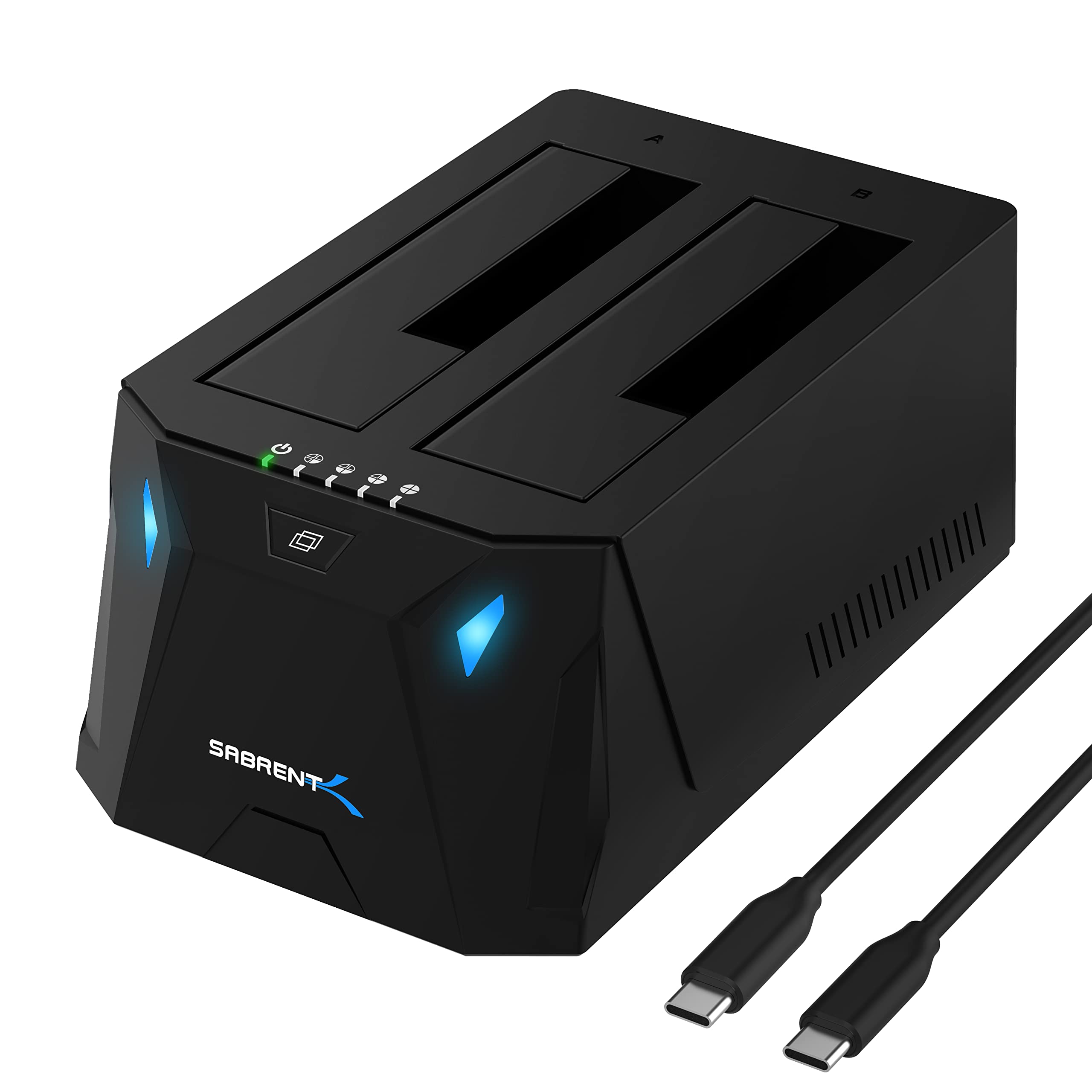
Compare the EC-CH2B if USB Type-C connectivity, tool-free installation, or a stated 20+TB capacity is a priority.
The EC-HD2B remains a fit when its USB 3.0 connection and dual-bay SATA cloning meet your needs, but confirm capacity compatibility before choosing it for a large drive.
- The EC-CH2B is a dual-bay USB Type-C SATA dock with offline cloning, tool-free installation, hot-swapping, and stated support for drives up to 20+TB.
- Its details also list transfer speeds up to 5Gbps and compatibility with Windows and Mac OS.
- The EC-HD2B supports 2.5- and 3.5-inch SATA HDDs and SSDs, offers offline cloning, and lists USB 3.0 transfer speeds up to 5Gbps. Its details give differing capacity references.
Hard Drive Docking Stations alternative
17,000+ ratings
Read Amazon ReviewsSABRENT DS-U3B4
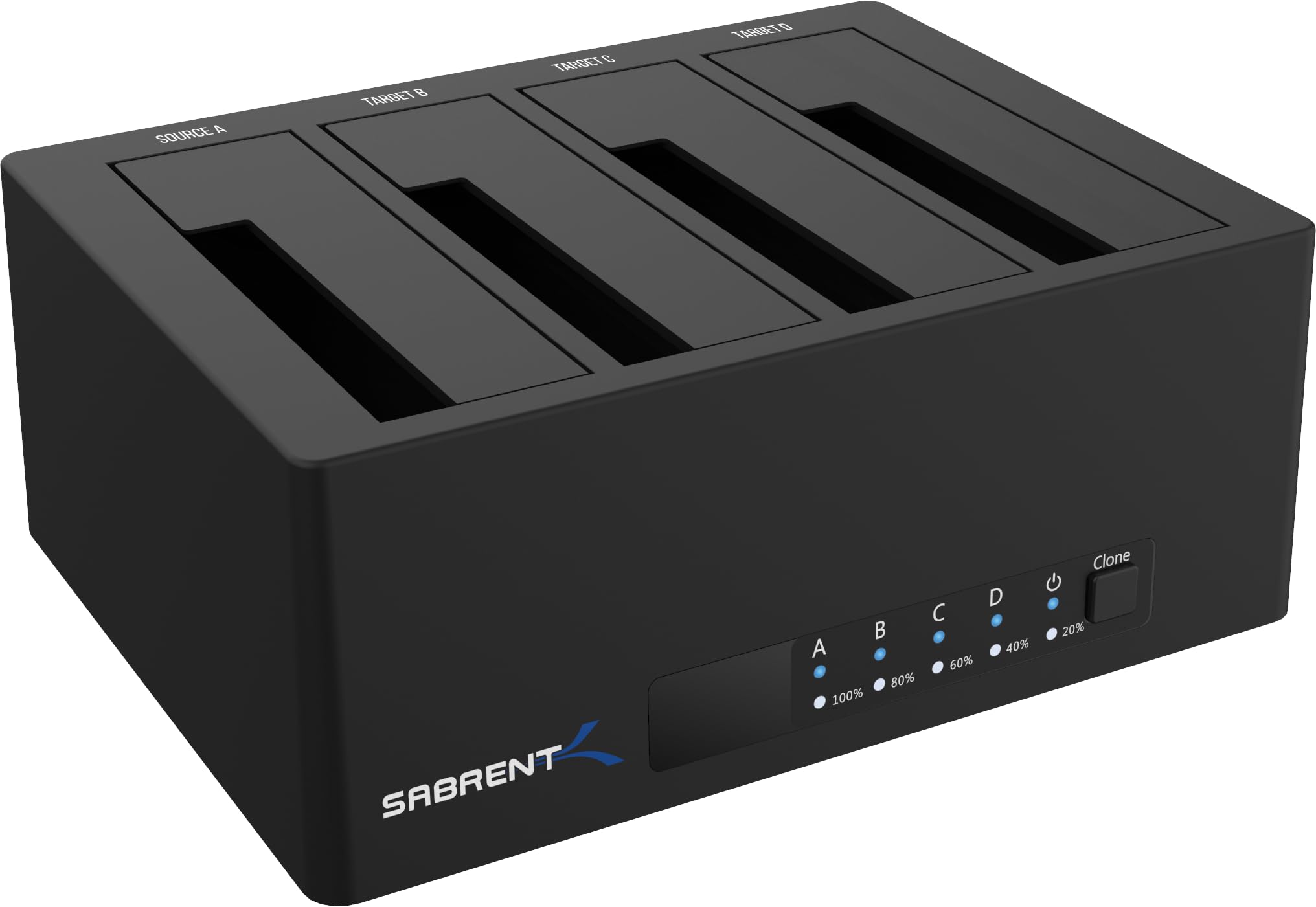
Choose between these based on how many drives you need to manage at once: the EC-HD2B provides two bays, while the DS-U3B4 accommodates up to four.
The four-bay model is more suitable for multi-drive access or management; the two-bay dock is the more focused option when two drive positions are enough.
- The DS-U3B4 supports up to four 2.5- or 3.5-inch SATA drives, connects by USB 3.0 at up to 5Gbps, and offers offline cloning with LED progress indicators.
- The EC-HD2B has two bays for standard 2.5- and 3.5-inch SATA drives and supports offline cloning.
Is SABRENT EC-HD2B Worth It?
The SABRENT EC-HD2B is worth considering if you need a straightforward dual-bay dock for standard 2.5- or 3.5-inch SATA drives and value offline cloning alongside USB-connected file access.
Its plug-and-play setup and USB 3.0 support make it a versatile option for occasional drive work.
Check your drive's interface and confirm the capacity limit before buying, particularly for disks above 10TB. If those details align with your needs, the EC-HD2B offers a useful blend of everyday access and direct cloning.
Your review at a glance
17,000+ ratings
Read Amazon ReviewsSABRENT EC-HD2B
A practical fit for buyers who need to connect or clone 2.5- and 3.5-inch SATA drives without installing them inside a computer.
- Dual-bay design for two standard 2.5-inch or 3.5-inch SATA HDDs or SSDs.
- Compatibility with SATA I, SATA II, and SATA III drives.
- Offline drive cloning, with a stated cloning speed of up to 60Mbps.
- USB 3.0 host connection with transfer speeds up to 5Gbps; also supports USB 2.0 up to 480Mbps and USB 1.1 up to 12Mbps.