The SABRENT SuperSpeed 2 Slot USB 3.0 Flash Memory Card Reader review is for buyers who want a simple way to access supported SD and microSD cards through a USB port.
Its dual-slot design and plug-and-play setup suit basic transfers, while device compatibility and connector fit are worth checking before you buy.
SABRENT Card Reader Review Summary
The quick verdict
10,000+ ratings
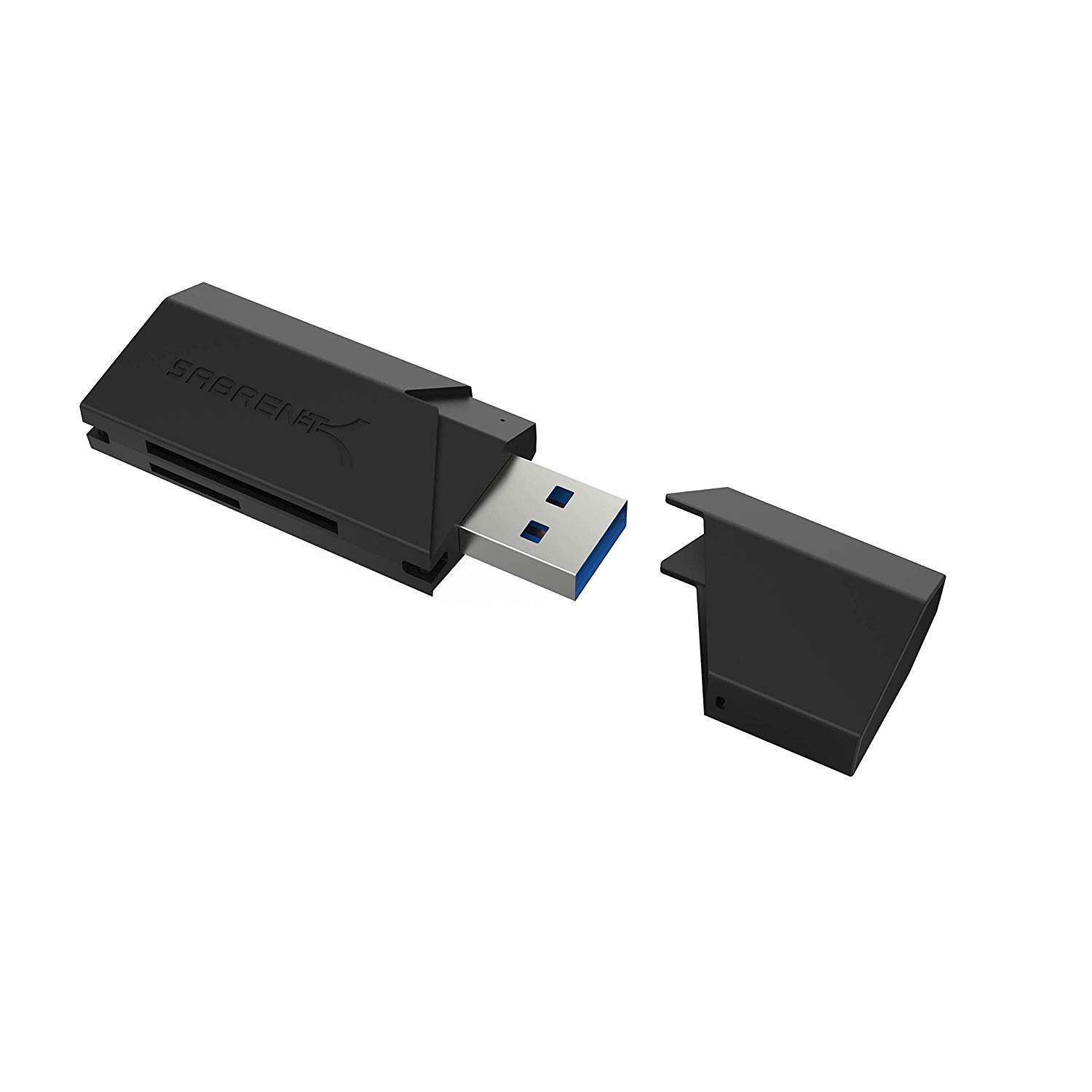
Read Amazon ReviewsSABRENT SuperSpeed 2 Slot USB 3.0 Card Reader
A straightforward pick for shoppers who need USB-A access to SD and microSD cards on a compatible computer or Android device.
- Two card slots for the supported card formats.
- USB 3.0 interface, with backward compatibility for USB 2.0 hosts.
- Supports SD, SDHC, SDXC, MMC, microSD, and T-Flash.
- Powered through the USB port; no additional power supply is needed.

Pros
- Covers a useful mix of SD and smaller microSD formats, plus MMC and T-Flash.
- USB-powered operation keeps setup simple and avoids a separate power adapter.
Consider before buying
- Android compatibility is limited to certain systems, so confirm your specific device supports the reader.
- The supplied description does not identify an alternate connector; check your computer's port before buying.
Read the full review summary
This reader focuses on the essentials: USB 3.0 connectivity, two card slots, and support for several common card formats, including SD, SDHC, SDXC, MMC, microSD, and T-Flash.
It draws power from the USB connection, so you do not need to arrange a separate power supply, and it is designed to work without installing software.
It is a practical fit for someone moving files from supported cards to a computer with a compatible USB port, especially when straightforward setup matters more than extra connection options.
The reader also supports USB 2.0 hosts, though the host connection can affect transfer potential. Check that your device and card format are supported, and confirm the port type suits the reader before ordering.
The buying factors
SABRENT Card Reader Scorecard
Editorial scores reflect listed features and buyer fit; they are not laboratory measurements or customer ratings.
Card-format coverage
The listed compatibility spans SD-family formats along with MMC, microSD, and T-Flash.
Connection flexibility
USB 3.0 and USB 2.0 host compatibility are useful, but the supplied details do not identify alternate connector types.
Setup simplicity
Plug-and-play operation is intended to avoid an installation step.
Power convenience
It takes power from the USB port, so a separate power supply is not needed.
Everyday transfer fit
USB 3.0 supports a faster interface, while actual transfer experience depends on the connected equipment and cards.
Device compatibility clarity
Windows, Mac, Linux, and certain Android systems are named, so Android buyers should confirm their specific device is compatible.
Key Features and Specifications of SABRENT Card Reader
- Two card slots for the supported card formats.
- USB 3.0 interface, with backward compatibility for USB 2.0 hosts.
- Supports SD, SDHC, SDXC, MMC, microSD, and T-Flash.
- Powered through the USB port; no additional power supply is needed.
- Plug-and-play setup with no installation required.
- Compatibility includes Windows, Mac, Linux, and certain Android systems.
Pros and Cons of SABRENT Card Reader
Pros
- Covers a useful mix of SD and smaller microSD formats, plus MMC and T-Flash.
- USB-powered operation keeps setup simple and avoids a separate power adapter.
- Plug-and-play design is convenient for occasional transfers.
- USB 2.0 host compatibility can help when a USB 3.0 host is unavailable.
Consider before buying
- Android compatibility is limited to certain systems, so confirm your specific device supports the reader.
- The supplied description does not identify an alternate connector; check your computer's port before buying.
- USB 3.0 describes the interface, not a guaranteed transfer rate for every card, device, or host.
Who Should Buy SABRENT Card Reader?
Good fit
Consider this reader if you regularly need to move photos or other files from supported SD or microSD cards to a computer and want a simple USB-powered accessory.
The format range makes it useful across more than one common card type, and plug-and-play operation reduces setup steps.
It also makes sense for buyers who can confirm the reader fits their port and whose operating system is among the supported options.
If you use it with Android, verify compatibility for the particular device rather than assuming every Android system will work.
Who should skip it
Look elsewhere if your device lacks a compatible port or if you need confirmed support for a specific Android model that you cannot verify.
Buyers choosing a reader for a particular card should also check that the card format is among those supported.
What the SABRENT Card Reader Means for Everyday Transfers
Card coverage for mixed devices
The format list includes standard SD-family cards and smaller microSD cards, alongside MMC and T-Flash.
That breadth may help if your transfers involve different card types, but match the card itself to the listed formats before relying on it for a particular workflow.
USB 3.0 and the host connection
USB 3.0 gives the reader a modern interface, and USB 2.0 host compatibility offers another connection option.
The host, card, and files being transferred all influence the practical experience, so treat the interface as a compatibility and capability feature rather than a promise of a particular speed.
A simple, self-powered setup
Plug-and-play operation and USB-port power make the design appealing for a reader that is connected only when needed.
There is no separate power supply to manage, though buyers should still make sure their device has a suitable port available.
Check the Android qualification
The reader is described as compatible with certain Android systems, which leaves device-specific compatibility important. If phone or tablet use is central to your purchase, check that your particular device supports this reader and the intended card format.
Alternatives to SABRENT Card Reader
Computer Memory Card Readers alternative
2,000+ ratings
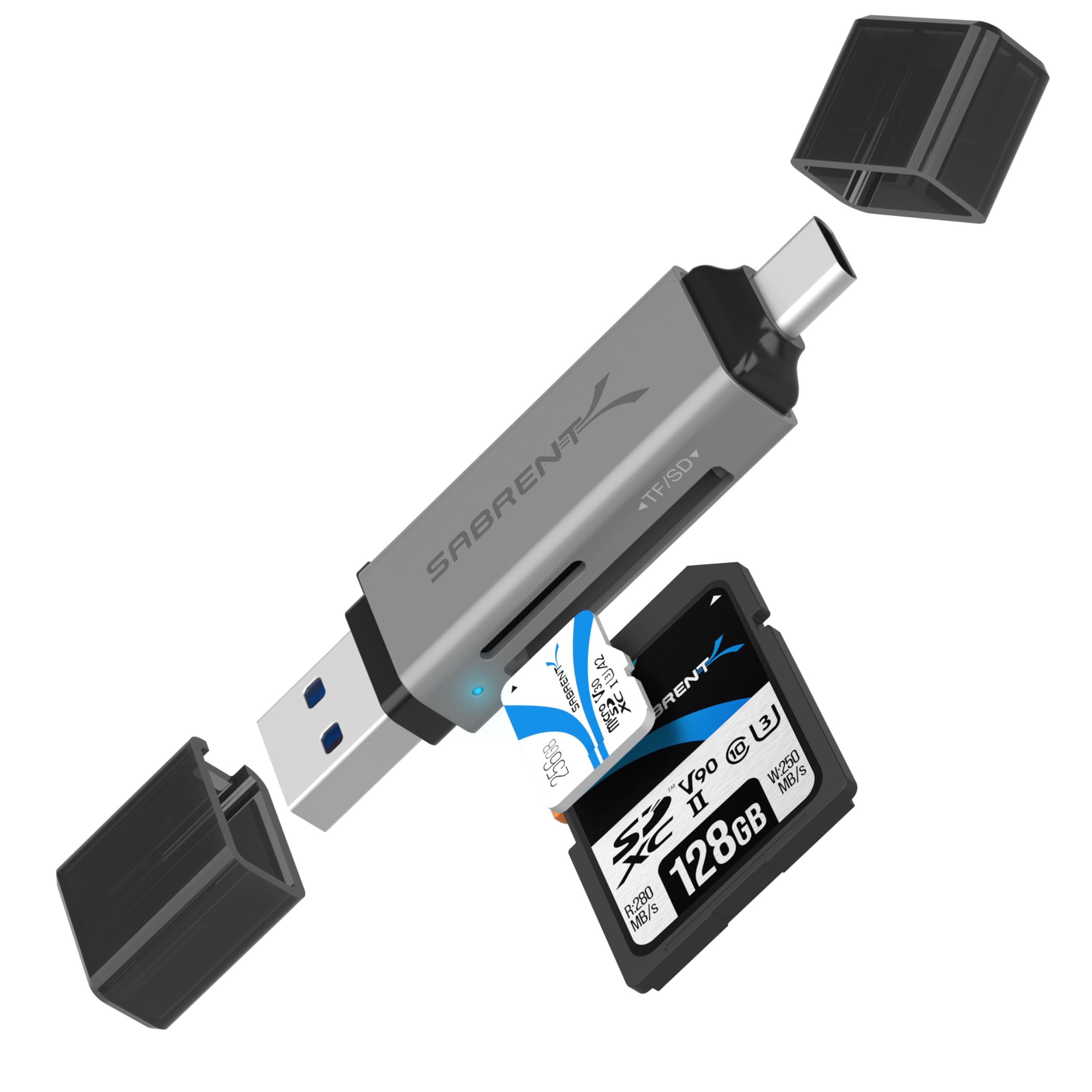
Read Amazon ReviewsSABRENT USB-C & USB-A SD/Micro SD Card Reader (CR-BCA2)
Choose the CR-BCA2 if having both USB-C and USB-A connectors is useful for your devices.
The main reader may suit buyers who need its broader listed format range, including MMC and T-Flash; compare your card types and ports before deciding.
- The CR-BCA2 provides both USB-C and USB-A connections and supports SD and microSD card families, including SDXC and microSDXC.
- Its listed features also include USB 3.0, plug-and-play operation, and an activity indicator.
- The SuperSpeed 2 Slot reader supports SD, SDHC, SDXC, MMC, microSD, and T-Flash, and is designed for USB 3.0 with USB 2.0 host compatibility.
Is SABRENT Card Reader Worth It?
The SABRENT SuperSpeed 2 Slot USB 3.0 Card Reader is worth considering for straightforward access to supported cards, with a useful format range, USB power, and no-installation setup.
Its appeal is strongest when your device has a compatible port and your cards match the supported formats.
Before buying, confirm operating-system fit, especially for Android, and keep expectations about transfer experience tied to your card and host device.
If you need USB-C connectivity, consider the alternative with both USB-C and USB-A; otherwise, this reader covers the basic card-reader job with little setup.
Your review at a glance
10,000+ ratings
Read Amazon ReviewsSABRENT SuperSpeed 2 Slot USB 3.0 Card Reader
A straightforward pick for shoppers who need USB-A access to SD and microSD cards on a compatible computer or Android device.
- Two card slots for the supported card formats.
- USB 3.0 interface, with backward compatibility for USB 2.0 hosts.
- Supports SD, SDHC, SDXC, MMC, microSD, and T-Flash.
- Powered through the USB port; no additional power supply is needed.