The SABRENT USB 3.0 Extension Cable review is for anyone who needs more distance between a computer or Windows tablet and a USB-A peripheral.
Its 10-foot length, USB 3.0 support, and backward compatibility make it a straightforward option for common desk and room setups.
SABRENT Extension Cable Review Summary
The quick verdict
16,000+ ratings
Read Amazon ReviewsSABRENT USB 3.0 Extension Cable
A practical choice for extending a USB-A connection to a nearby peripheral while retaining USB 3.0 support and compatibility with USB 2.0 devices.
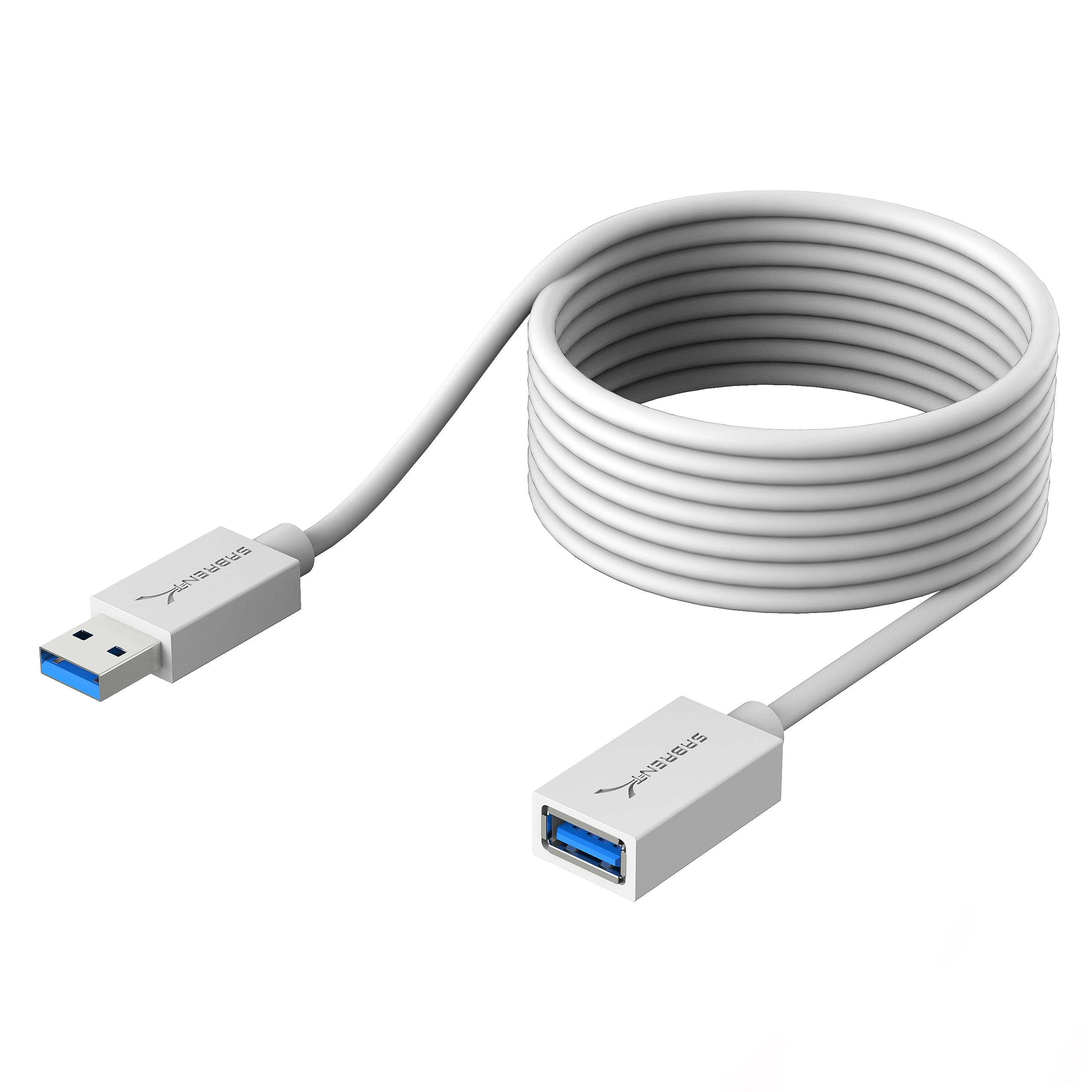
- 10-foot length in white, with a USB-A male connector and USB-A female connector.
- Supports USB 3.0 connections with a stated transfer rate of up to 5 Gbps.
- Backward compatible with USB 2.0 devices.
- Described for extending connections to peripherals including hard drives, USB hubs, mice, keyboards, flash drives, and printers.

Pros
- Adds substantial distance between a USB-A host port and a peripheral.
- Maintains a USB-A female connection for plugging in a standard USB-A device cable or peripheral.
Consider before buying
- It is a USB-A extension, so it will not directly convert a USB-C port or peripheral to another connector type.
- Ten feet may leave extra cable to manage in a compact workspace.
Read the full review summary
This white, 10-foot cable has a USB-A male connector on one end and a USB-A female connector on the other, so it extends an existing USB-A port rather than connecting a device directly to a different connector type.
The product description lists peripherals such as external hard drives, hubs, mice, keyboards, flash drives, and printers, and notes compatibility with USB 2.0 devices as well as USB 3.0.
Its stated data-transfer ceiling is up to 5 Gbps for USB 3.0, while shielding is designed to help limit electromagnetic and radio-frequency interference.
Those details make it suitable when a peripheral needs more reach but the original USB-A connection should remain in place.
The cable does not change a device's port or guarantee that every connected peripheral will reach the maximum speed; the host, device, and other parts of the setup still matter.
The buying factors
SABRENT Extension Cable Scorecard
Editorial scores reflect listed features and buyer fit; they are not laboratory measurements or customer ratings.
Connection flexibility
A male-to-female USB-A layout extends an existing connection and supports listed USB 3.0 and USB 2.0 peripherals.
Reach
Ten feet gives more placement freedom than a short extension, though it may be excessive for close setups.
USB 3.0 capability
The description gives a maximum transfer rate of up to 5 Gbps, subject to the connected equipment.
Backward compatibility
USB 2.0 compatibility helps it fit setups that include older peripherals.
Interference protection
Shielding is intended to reduce noise from electromagnetic and radio-frequency signals.
Setup simplicity
The cable has a direct extension role and does not require changing the peripheral's connector type.
Key Features and Specifications of SABRENT Extension Cable
- 10-foot length in white, with a USB-A male connector and USB-A female connector.
- Supports USB 3.0 connections with a stated transfer rate of up to 5 Gbps.
- Backward compatible with USB 2.0 devices.
- Described for extending connections to peripherals including hard drives, USB hubs, mice, keyboards, flash drives, and printers.
- Shielding is designed to protect the signal from electromagnetic and radio-frequency noise.
Pros and Cons of SABRENT Extension Cable
Pros
- Adds substantial distance between a USB-A host port and a peripheral.
- Maintains a USB-A female connection for plugging in a standard USB-A device cable or peripheral.
- Supports both USB 3.0 and USB 2.0 peripherals.
- Shielding addresses common sources of electrical and radio-frequency interference.
Consider before buying
- It is a USB-A extension, so it will not directly convert a USB-C port or peripheral to another connector type.
- Ten feet may leave extra cable to manage in a compact workspace.
- The up-to 5 Gbps figure is a maximum; actual transfer rates depend on the connected host, peripheral, and overall setup.
Who Should Buy SABRENT Extension Cable?
Good fit
Consider this cable if a USB-A peripheral needs to sit farther from a computer or Windows tablet and you want to keep its existing USB-A connection.
The 10-foot length can help with equipment placed beyond immediate desk reach, while the female end accepts the peripheral's USB-A plug or its existing cable.
It is also a reasonable fit for mixed USB 3.0 and USB 2.0 environments.
Before choosing it, check the host and peripheral connectors and allow for the fact that the cable extends a connection; it does not change the device's interface or raise the capability of the rest of the system.
If you are extending a drive or other data-sensitive peripheral, look at the USB versions supported at both ends and consider whether the cable route is practical for your setup.
The stated maximum is up to 5 Gbps, rather than a guaranteed speed in every configuration.
Who should skip it
Skip this model if the connection you need is USB-C, Micro USB, or another connector type, or if you need a cable that directly changes between connector standards.
A shorter extension may suit a close-range setup better if you have little room to route or store extra cable.
How the SABRENT Extension Cable Fits a USB-A Setup
A straightforward extension, not a converter
The male-to-female USB-A arrangement is the key buying detail. It extends an existing USB-A connection, which can be useful when the host and peripheral already match.
Buyers should check both ends of their current setup first, because this cable does not change a USB-A connection into another port type.
What the 5 Gbps figure means
The listed USB 3.0 rate is up to 5 Gbps, and the product also supports USB 2.0 devices.
This gives it a clear role in a setup where the host and peripheral support USB 3.0, while keeping older USB 2.0 equipment in scope.
Actual transfer speed depends on the equipment and connection as a whole, so the stated maximum should be treated as a capability ceiling.
Using ten feet of extra cable
A 10-foot extension offers flexibility for placing a peripheral farther from a computer or tablet. That reach can help when a port is awkwardly placed, but it also means planning the cable route and managing any extra length.
For a peripheral already close to the host, a shorter cable may be easier to keep tidy.
Shielding and connection conditions
The cable's shielding is designed to reduce noise from electromagnetic and radio-frequency signals. That is relevant when routing a connection near other equipment, but the description does not quantify real-world interference reduction.
For a particularly demanding installation, consider the devices, surrounding cables, and route together rather than relying on shielding alone.
Alternatives to SABRENT Extension Cable
USB Cables alternative
138,000+ ratings
Read Amazon ReviewsAINOPE 10-Foot Right-Angle USB-C Cable
Choose the SABRENT when you need a female USB-A extension and prioritize USB 3.0 capability.
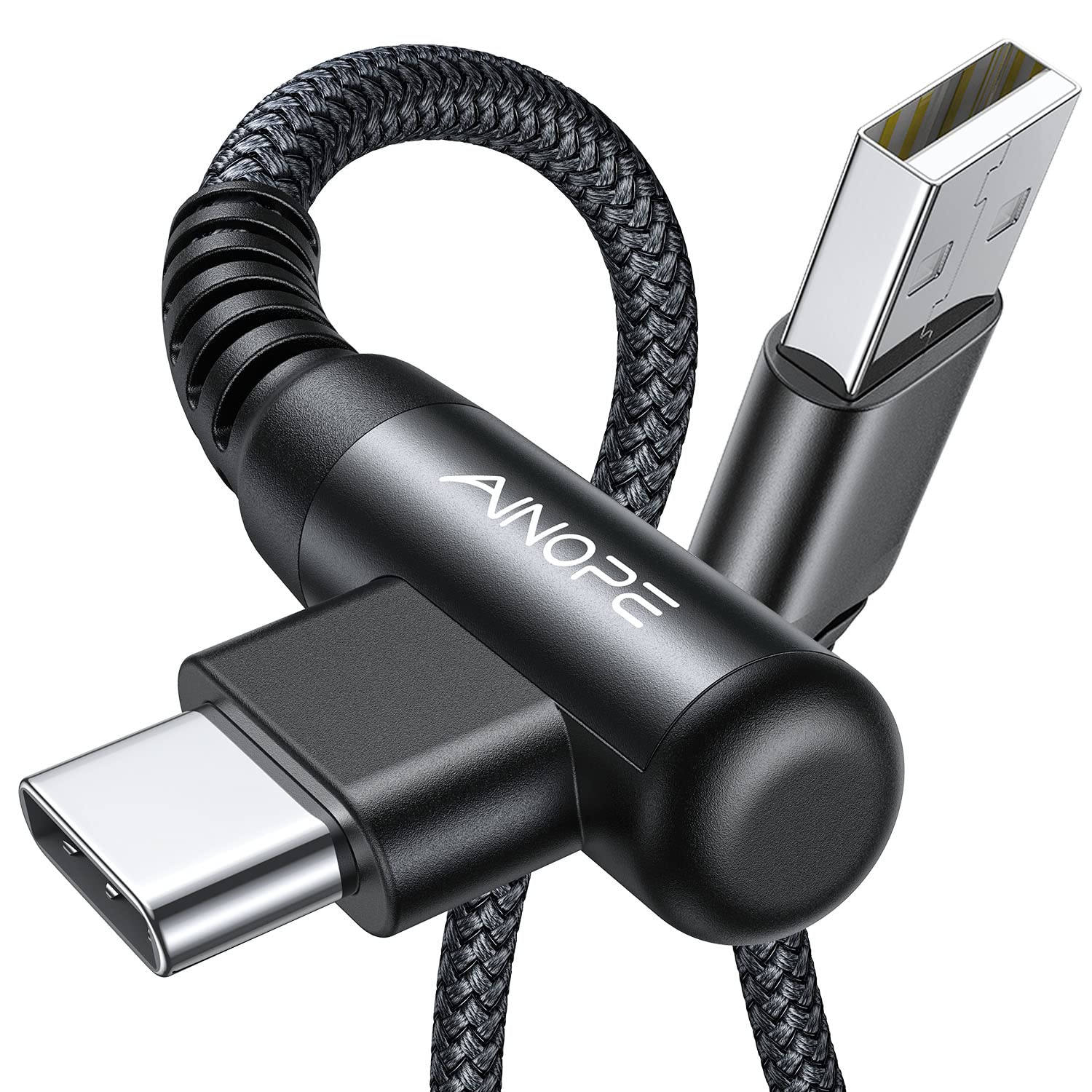
The AINOPE is a better fit when the device end is USB-C, a right-angle connector is useful, and its listed lower data rate meets your needs.
- The AINOPE cable is a 10-foot USB-A to USB-C cable with a right-angle USB-C connector and a listed data rate of up to 480 Mbps.
- Its description also specifies charging support up to 3.1A when paired with compatible equipment.
- The SABRENT model extends a USB-A connection and supports USB 3.0 at up to 5 Gbps, with USB 2.0 compatibility.
USB Cables alternative
500+ ratings
Read Amazon ReviewsSABRENT 6-Foot USB-C to USB-A Cable, 3-Pack
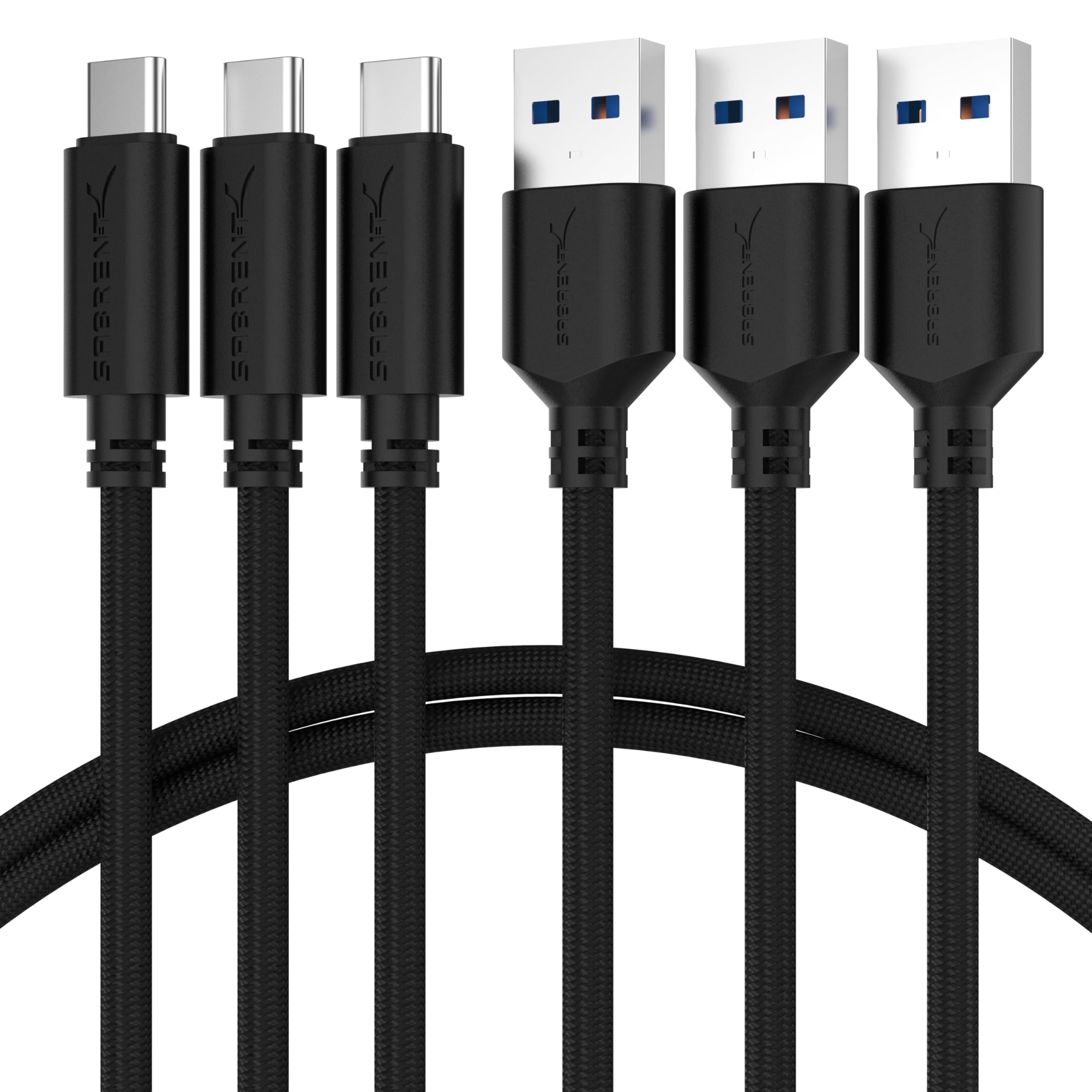
Choose the extension when your current peripheral cable already ends in USB-A and you need extra reach. Choose the three-pack when you need direct USB-A-to-USB-C cables for compatible devices and would rather have several shorter connections.
- This three-pack contains 6-foot USB-A to USB-C cables, with USB 3.0 support and transfer speeds up to 5 Gbps. The description also notes a braided design.
- The SABRENT extension is 10 feet long and connects USB-A male to USB-A female, allowing an existing USB-A peripheral connection to be extended.
Is SABRENT Extension Cable Worth It?
The SABRENT USB 3.0 Extension Cable is worth considering when a USB-A computer or tablet needs a longer connection to a USB-A peripheral.
Its 10-foot length, USB 2.0 compatibility, and stated USB 3.0 ceiling of up to 5 Gbps address a useful, specific need.
Check that both connector ends match your setup and that the added length is practical to route.
If those conditions fit, this is a focused extension cable; buyers needing a different connector type or a shorter run should choose a cable built for that arrangement.
Your review at a glance
16,000+ ratings
Read Amazon ReviewsSABRENT USB 3.0 Extension Cable
A practical choice for extending a USB-A connection to a nearby peripheral while retaining USB 3.0 support and compatibility with USB 2.0 devices.
- 10-foot length in white, with a USB-A male connector and USB-A female connector.
- Supports USB 3.0 connections with a stated transfer rate of up to 5 Gbps.
- Backward compatible with USB 2.0 devices.
- Described for extending connections to peripherals including hard drives, USB hubs, mice, keyboards, flash drives, and printers.