The SABRENT HB-6PNV combines six USB ports with HDMI, Gigabit Ethernet, power pass-through, and an internal M.2 SSD slot.
This sabrent usb hub review looks at where that combination suits a desk or travel setup, and where its drive and display limits matter.
SABRENT HB-6PNV Review Summary
The quick verdict
188,000+ ratings
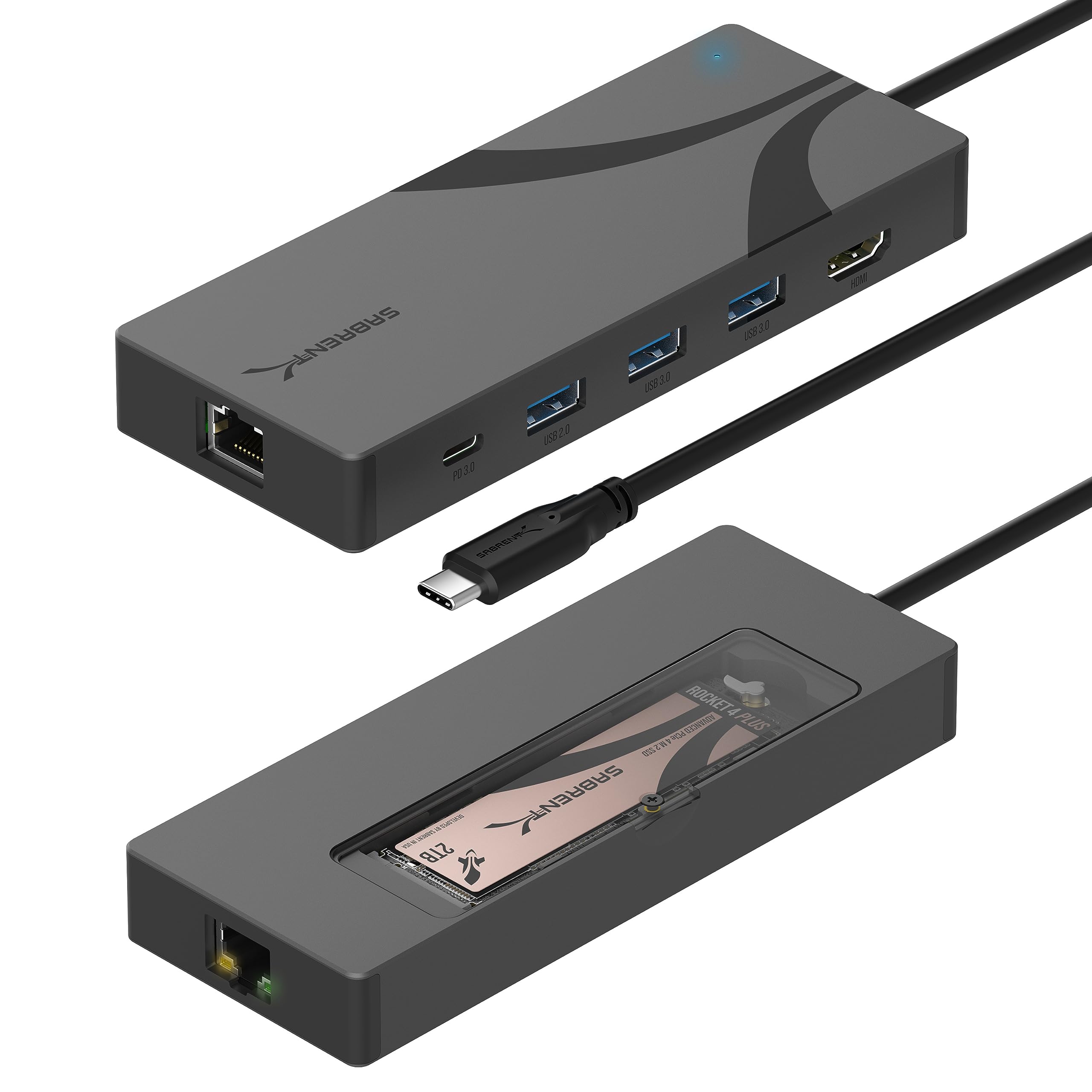
Read Amazon ReviewsSABRENT HB-6PNV USB-C Hub & M.2 SSD Dock
A fit for laptop users who want display, wired networking, peripheral ports, and an M.2 drive in one compact USB-C hub.
- Six-port USB-C hub with an integrated M.2 SSD enclosure; the drive is sold separately.
- M.2 slot supports NVMe or SATA SSDs in 2242, 2260, and 2280 form factors, with an integrated thermal pad.
- The hub connects to the computer over USB 3.2 Gen 2x1 at 10Gbps; the internal M.2 slot runs at up to 5Gbps.
- Three USB Type-A ports: two provide up to 5Gbps at 5V/900mA, and one supports USB 2.0 speeds up to 480Mbps.

Pros
- Combines an M.2 SSD enclosure and a multi-function hub in one unit.
- Supports both M.2 NVMe and SATA drives in three common form factors.
Consider before buying
- The SSD slot is limited to up to 5Gbps, so it will not expose the full speed of many NVMe drives.
- The M.2 drive and USB-C charger must be supplied separately.
Read the full review summary
The HB-6PNV is designed to reduce the number of separate accessories a compatible USB-C computer needs.
Its built-in M.2 enclosure is the distinguishing feature: one cable connects the hub to the host while letting a user add their own supported SSD alongside display, network, and peripheral connections.
It is best suited to someone who wants a single external display, wired Ethernet, and modest expansion for everyday accessories, with the option to keep project files or backups on an M.2 drive.
The key tradeoffs are that the drive slot tops out at 5Gbps, HDMI depends on host support for DisplayPort Alternate Mode, and the included package does not include a charger or SSD.
The buying factors
SABRENT HB-6PNV Scorecard
Editorial scores reflect listed features and buyer fit; they are not laboratory measurements or customer ratings.
Port mix
Combines three USB-A ports with HDMI, Gigabit Ethernet, and an M.2 slot, covering several common laptop expansion needs.
Built-in storage flexibility
Accepts M.2 NVMe or SATA drives in 2242, 2260, and 2280 sizes, but excludes some other form factors and requires a separately purchased drive.
Drive connection speed
The internal drive slot reaches up to 5Gbps, a useful ceiling for general file work but below what many modern NVMe drives can support.
Display support
One HDMI 2.0 output supports up to 4K at 60Hz when the host provides DisplayPort Alternate Mode.
Charging integration
Passes through up to 90W of USB Power Delivery to the host when paired with a compatible charger, which is not included.
Everyday portability
The aluminum hub weighs 136 g and measures 5.5 by 2.2 by 0.8 inches, putting several connections in a compact unit.
Key Features and Specifications of SABRENT HB-6PNV
- Six-port USB-C hub with an integrated M.2 SSD enclosure; the drive is sold separately.
- M.2 slot supports NVMe or SATA SSDs in 2242, 2260, and 2280 form factors, with an integrated thermal pad.
- The hub connects to the computer over USB 3.2 Gen 2x1 at 10Gbps; the internal M.2 slot runs at up to 5Gbps.
- Three USB Type-A ports: two provide up to 5Gbps at 5V/900mA, and one supports USB 2.0 speeds up to 480Mbps.
- HDMI 2.0 output supports one external display at up to 4K and 60Hz, subject to host DisplayPort Alternate Mode support.
- RJ45 port provides Gigabit Ethernet, and USB Power Delivery 3.0 passes through up to 90W to the host when a compatible charger is connected.
- Aluminum enclosure measures 5.5 by 2.2 by 0.8 inches and weighs 136 g; the package includes an M.2 rubber fastener, heatsink screw, screwdriver, and manual.
Pros and Cons of SABRENT HB-6PNV
Pros
- Combines an M.2 SSD enclosure and a multi-function hub in one unit.
- Supports both M.2 NVMe and SATA drives in three common form factors.
- Includes HDMI and wired Gigabit Ethernet as well as USB-A connectivity.
- Power pass-through can keep a compatible host charging while the hub is connected.
- Aluminum construction and a thermal pad are part of the storage enclosure design.
Consider before buying
- The SSD slot is limited to up to 5Gbps, so it will not expose the full speed of many NVMe drives.
- The M.2 drive and USB-C charger must be supplied separately.
- Video output requires DisplayPort Alternate Mode from the host; a USB-C data port alone is not enough.
- The layout has one HDMI output, and the three USB-A ports have different speed limits.
Who Should Buy SABRENT HB-6PNV?
Good fit
Consider the HB-6PNV if you want to consolidate storage and everyday laptop connections without carrying a separate M.2 enclosure.
It can be a practical fit for a work setup that uses one external monitor, a wired network connection, and a few peripherals, while keeping an SSD available for photos, project files, or backups.
Before choosing it, check that your computer’s USB-C port supports DisplayPort Alternate Mode if you plan to use HDMI, and verify that your M.2 drive is 2242, 2260, or 2280.
Also account for the charger and SSD as separate purchases.
The hub passes up to 90W to the host when paired with a suitable USB-C PD charger; that figure describes pass-through to the computer, not charging power available from the USB-A ports.
Who should skip it
Skip it if your priority is the highest possible speed from a modern NVMe drive: the internal slot is limited to up to 5Gbps, so the SSD’s own top rating will not determine the connection’s full performance.
Choose a different layout if you need multiple HDMI displays, an SD or microSD reader, or an M.2 drive outside the supported 2242, 2260, and 2280 sizes. Confirm the host’s video support before relying on its HDMI output.
How the SABRENT HB-6PNV Fits a Laptop Setup
A hub that also houses an SSD
The integrated M.2 enclosure gives this hub a different role from a port expander alone.
A compatible drive can sit inside the same aluminum unit as the connections, which may simplify a setup where external storage travels with the laptop.
The slot accepts NVMe or SATA drives in 2242, 2260, or 2280 sizes, and the drive must be supplied separately.
Know the two bandwidth ceilings
The host connection is rated at 10Gbps, while the internal M.2 slot supports up to 5Gbps. Those are separate links: the faster host connection does not raise the drive slot’s ceiling.
For everyday file transfers, photos, and backups, the stated drive rate may be adequate; buyers choosing an SSD for sustained high-speed work should factor in the hub’s lower interface limit.
Display and network depend on your setup
The HDMI 2.0 port supports one display at up to 4K and 60Hz, and the RJ45 port offers Gigabit Ethernet.
HDMI requires DisplayPort Alternate Mode from the computer’s USB-C port, so check the device specifications if display output is essential. The single HDMI output also makes this a one-monitor expansion option.
Charging and USB-A roles
With a compatible USB-C PD charger connected, up to 90W passes through to the laptop or tablet. The charger is not included, and this pass-through should not be confused with the USB-A ports’ stated 5V/900mA output.
Two Type-A ports support up to 5Gbps, while the third is USB 2.0 at up to 480Mbps, making port choice relevant when connecting storage or slower input devices.
Alternatives to SABRENT HB-6PNV
USB Hubs alternative
6,000+ ratings
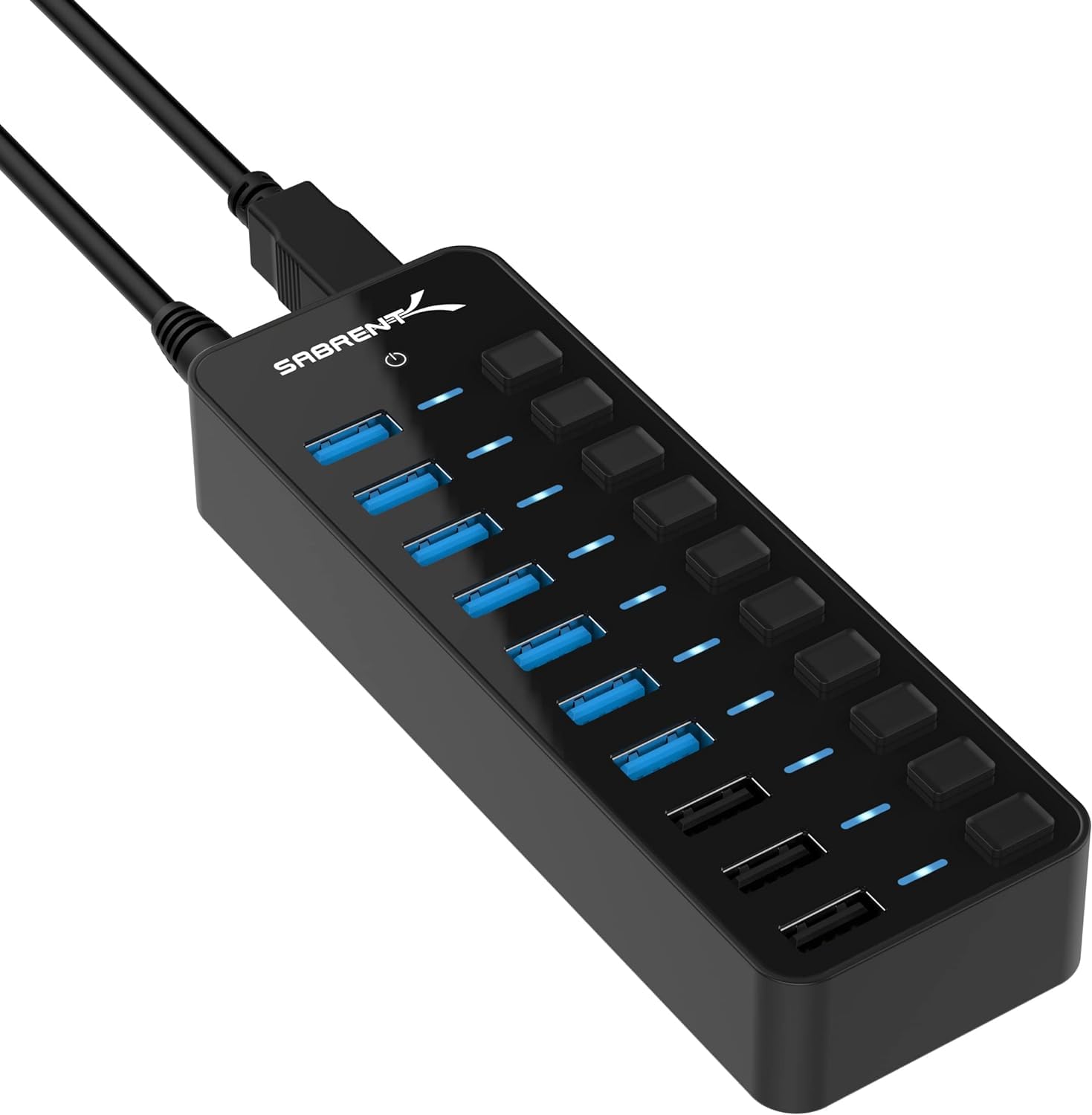
Read Amazon ReviewsSABRENT HB-B7C3 10-Port Powered USB 3.0 Hub
Choose the HB-6PNV when built-in M.2 storage, display output, and wired networking are priorities. The HB-B7C3 is the closer fit when the main need is more USB-A connections, dedicated device charging, and port-level switches.
- The HB-B7C3 offers up to seven USB 3.0 device connections, three dedicated smart-charging ports, a 60W power adapter, and individual power switches with LEDs.
- Its supplied details focus on powered USB expansion and charging.
- The HB-6PNV combines an M.2 SSD slot, HDMI, Gigabit Ethernet, and three USB-A ports, with up to 90W power pass-through to the host.
USB Hubs alternative
500+ ratings
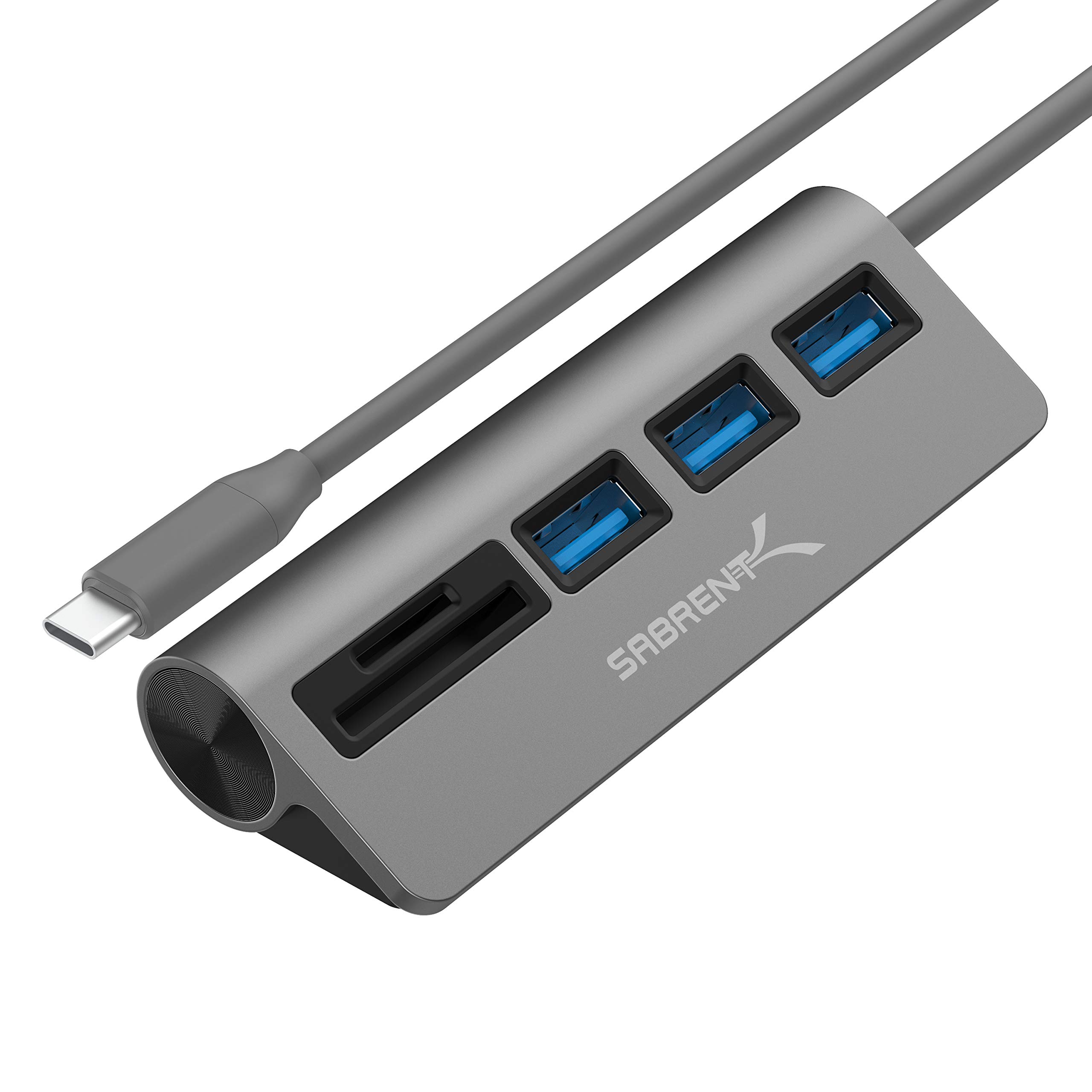
Read Amazon ReviewsSABRENT HB-U3CR USB-C 5-in-1 Hub
The HB-U3CR is worth considering if card access is more useful to your workflow than an internal SSD enclosure, HDMI, or Ethernet.
For a setup centered on a supported M.2 drive and wired network or display connections, the HB-6PNV has the more relevant feature mix.
- The HB-U3CR combines three USB 3.0 Type-A ports with an SD and microSD card reader, with data transfer up to 5Gbps.
- The HB-6PNV includes an M.2 SSD enclosure, HDMI, and Gigabit Ethernet, alongside USB-A ports with a mix of 5Gbps and USB 2.0 speeds.
Is SABRENT HB-6PNV Worth It?
The SABRENT HB-6PNV is worth considering if you want a compact USB-C hub that also houses an M.2 SSD, with one-display HDMI, Gigabit Ethernet, and host charging pass-through.
Its combination can simplify a laptop setup, especially when those functions would otherwise require separate accessories.
Buy with the 5Gbps drive-slot ceiling, separate SSD and charger, host-dependent HDMI support, and differing USB-A speeds in mind.
If those limits fit your devices and routine, it offers a versatile mix of storage and connectivity in one hub.
Your review at a glance
188,000+ ratings
Read Amazon ReviewsSABRENT HB-6PNV USB-C Hub & M.2 SSD Dock
A fit for laptop users who want display, wired networking, peripheral ports, and an M.2 drive in one compact USB-C hub.
- Six-port USB-C hub with an integrated M.2 SSD enclosure; the drive is sold separately.
- M.2 slot supports NVMe or SATA SSDs in 2242, 2260, and 2280 form factors, with an integrated thermal pad.
- The hub connects to the computer over USB 3.2 Gen 2x1 at 10Gbps; the internal M.2 slot runs at up to 5Gbps.
- Three USB Type-A ports: two provide up to 5Gbps at 5V/900mA, and one supports USB 2.0 speeds up to 480Mbps.