This steelseries apex 3 tkl review looks at a tenkeyless gaming keyboard built around quiet switches, eight-zone RGB lighting, and a splash- and dust-resistant design.
Its compact layout may suit players who want more desk room without giving up anti-ghosting keys.
Apex 3 TKL Review Summary
The quick verdict
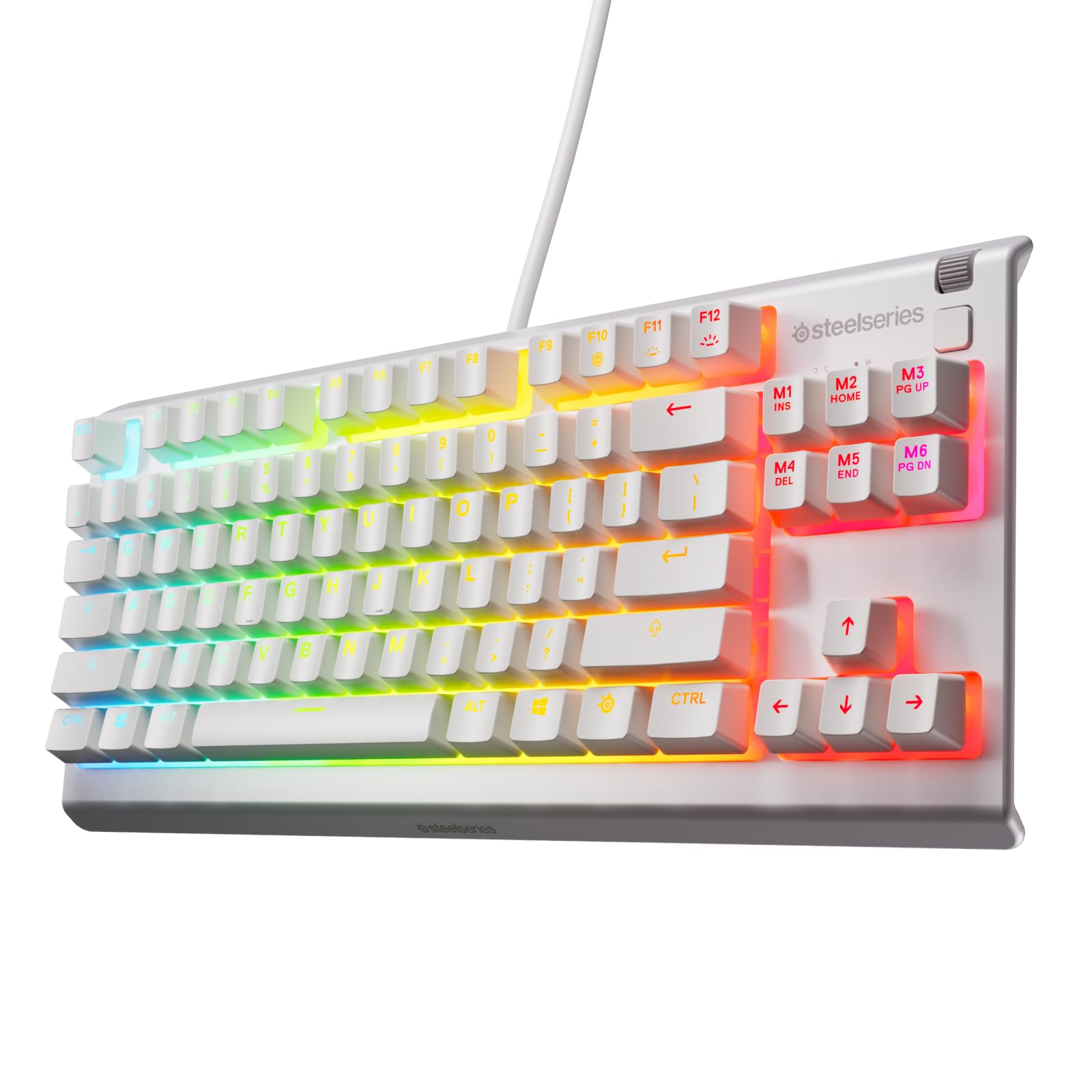
2,000+ ratings
Read Amazon ReviewsSteelSeries Apex 3 TKL
A space-saving wired gaming keyboard for players who want quiet switches, customizable lighting, and a compact tenkeyless layout.
- Tenkeyless (TKL) layout designed to maximize desk space.
- Anti-ghosting keys for handling simultaneous inputs.
- Whisper-quiet gaming switches designed for nearly silent use.
- Switches rated for 20 million low-friction keypresses.

Pros
- Compact tenkeyless shape can free up desk space around the keyboard.
- Quiet switch design is considerate in shared spaces and during late-night use.
Consider before buying
- The TKL layout omits a number pad, which can slow workflows built around frequent numeric entry.
- Eight-zone lighting groups illumination, so buyers seeking finer per-key customization should check the control options before choosing.
Read the full review summary
The Apex 3 TKL focuses on practical essentials: a compact tenkeyless form, anti-ghosting keys, whisper-quiet switches, and customizable lighting.
Its switches are described as low-friction and rated for 20 million keypresses, while the water- and dust-resistant design is intended to help protect against everyday exposure.
It is a sensible fit for gaming and general desktop use when a quieter typing feel and a smaller footprint matter more than a feature-heavy control setup.
Buyers should be comfortable with a TKL layout and should check whether their usual games and work rely on a separate number pad.
The buying factors
Apex 3 TKL Scorecard
Editorial scores reflect listed features and buyer fit; they are not laboratory measurements or customer ratings.
Compact layout
The tenkeyless design reduces the keyboard's footprint and can leave more room for mouse movement.
Quiet switch design
The switches are designed for nearly silent use, a useful fit for shared rooms or late sessions.
Gaming input features
Anti-ghosting keys support simultaneous key presses during play.
Everyday resilience
Water and dust resistance offers some protection against splashes and particles, though it should not be treated as waterproof.
Lighting flexibility
Eight RGB zones allow color schemes and reactive effects, though lighting is less granular than per-key control.
Desk-space efficiency
Removing the number pad creates a more compact footprint for setups where desk space is at a premium.
Key Features and Specifications of Apex 3 TKL
- Tenkeyless (TKL) layout designed to maximize desk space.
- Anti-ghosting keys for handling simultaneous inputs.
- Whisper-quiet gaming switches designed for nearly silent use.
- Switches rated for 20 million low-friction keypresses.
- Eight-zone RGB illumination with color schemes and reactive effects.
- Water- and dust-resistant design intended to protect against splashes and dust.
Pros and Cons of Apex 3 TKL
Pros
- Compact tenkeyless shape can free up desk space around the keyboard.
- Quiet switch design is considerate in shared spaces and during late-night use.
- Anti-ghosting keys are a practical gaming feature for simultaneous inputs.
- Eight-zone lighting gives the setup some customization without requiring a fully illuminated key-by-key layout.
Consider before buying
- The TKL layout omits a number pad, which can slow workflows built around frequent numeric entry.
- Eight-zone lighting groups illumination, so buyers seeking finer per-key customization should check the control options before choosing.
- Water and dust resistance is not the same as a waterproof design; avoid treating it as protection for major spills or submersion.
Who Should Buy Apex 3 TKL?
Good fit
Consider the Apex 3 TKL if your setup would benefit from a smaller keyboard and you prefer a quiet switch character. The tenkeyless layout gives mouse movement more room, while anti-ghosting keys address a useful gaming input need.
It also makes sense for a shared desk or room where louder typing could be distracting. The lighting and resistance features add everyday convenience, while the 20-million-keypress switch rating gives a stated durability target for the key mechanism.
Before buying, compare the TKL layout with your actual routine. If you regularly enter figures or use a number pad for work, that space saving may come with a real usability compromise.
Who should skip it
Skip this layout if a dedicated number pad is central to your work or gaming controls. A compact design only helps when the missing section does not interrupt your regular tasks.
Look elsewhere if you want highly detailed lighting control or expect spill resistance to make the keyboard safe around substantial liquid exposure.
The described design offers eight-zone lighting and protection against splashes and dust, not a promise of waterproofing.
How the Apex 3 TKL fits a compact gaming setup
What the tenkeyless layout changes
A TKL keyboard removes the number pad from the main layout, shrinking the area it occupies on a desk.
That can leave more room to position a mouse, which may be appealing in games that involve broad mouse movement.
The tradeoff is direct: frequent spreadsheet work, number entry, or shortcuts assigned to the number pad may feel less convenient.
Quiet switches for shared spaces
The switches are designed for nearly silent use and low-friction keypresses.
That makes the keyboard an appealing option when other people are nearby or when gaming late, although the quiet design is a stated product characteristic rather than a guarantee of a particular sound level in every setup.
Gaming inputs and lighting
Anti-ghosting keys are intended to help register simultaneous key presses, which can matter when a game combines movement and action inputs.
Eight-zone RGB gives the keyboard several areas for coordinated colors and reactive effects; buyers wanting individual key customization should confirm that the available lighting controls meet their expectations.
What resistance means for daily use
Water and dust resistance can provide a measure of reassurance against small splashes and particles around a desk. It is best treated as added protection for ordinary mishaps, not permission to expose the keyboard to heavy spills.
Keeping drinks away remains the safer habit.
Alternatives to Apex 3 TKL
Computer Keyboards alternative
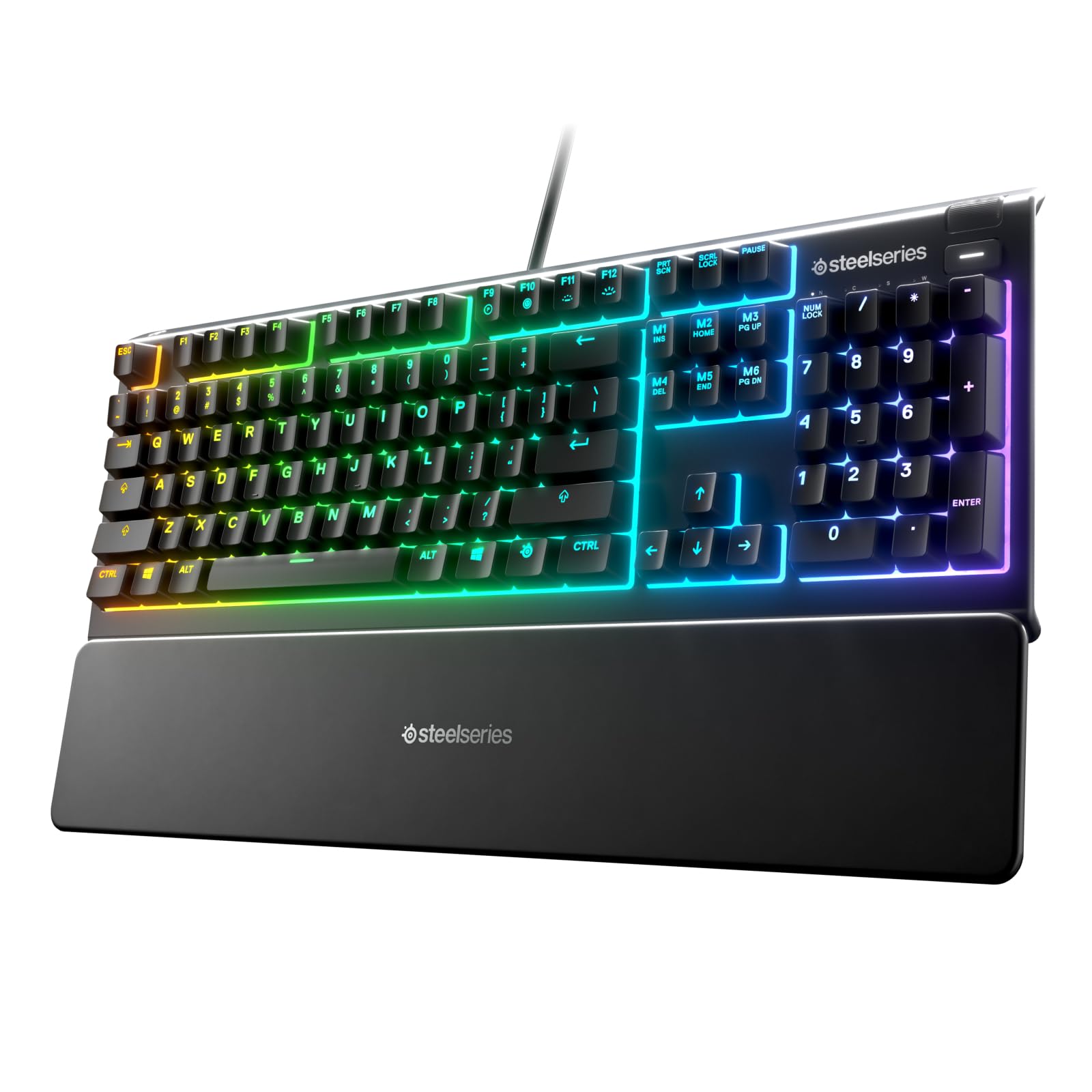
8,000+ ratings
Read Amazon ReviewsSteelSeries Apex 3
Choose the Apex 3 if you want a number pad, wrist support, and dedicated media controls and can accommodate the larger layout.
The Apex 3 TKL is the better fit when desk space and a compact footprint matter more.
- The Apex 3 has ten-zone RGB, a magnetic wrist rest, dedicated multimedia controls, and a full-size layout.
- The Apex 3 TKL combines a compact layout, quiet switches, eight-zone lighting, and anti-ghosting keys.
Computer Keyboards alternative
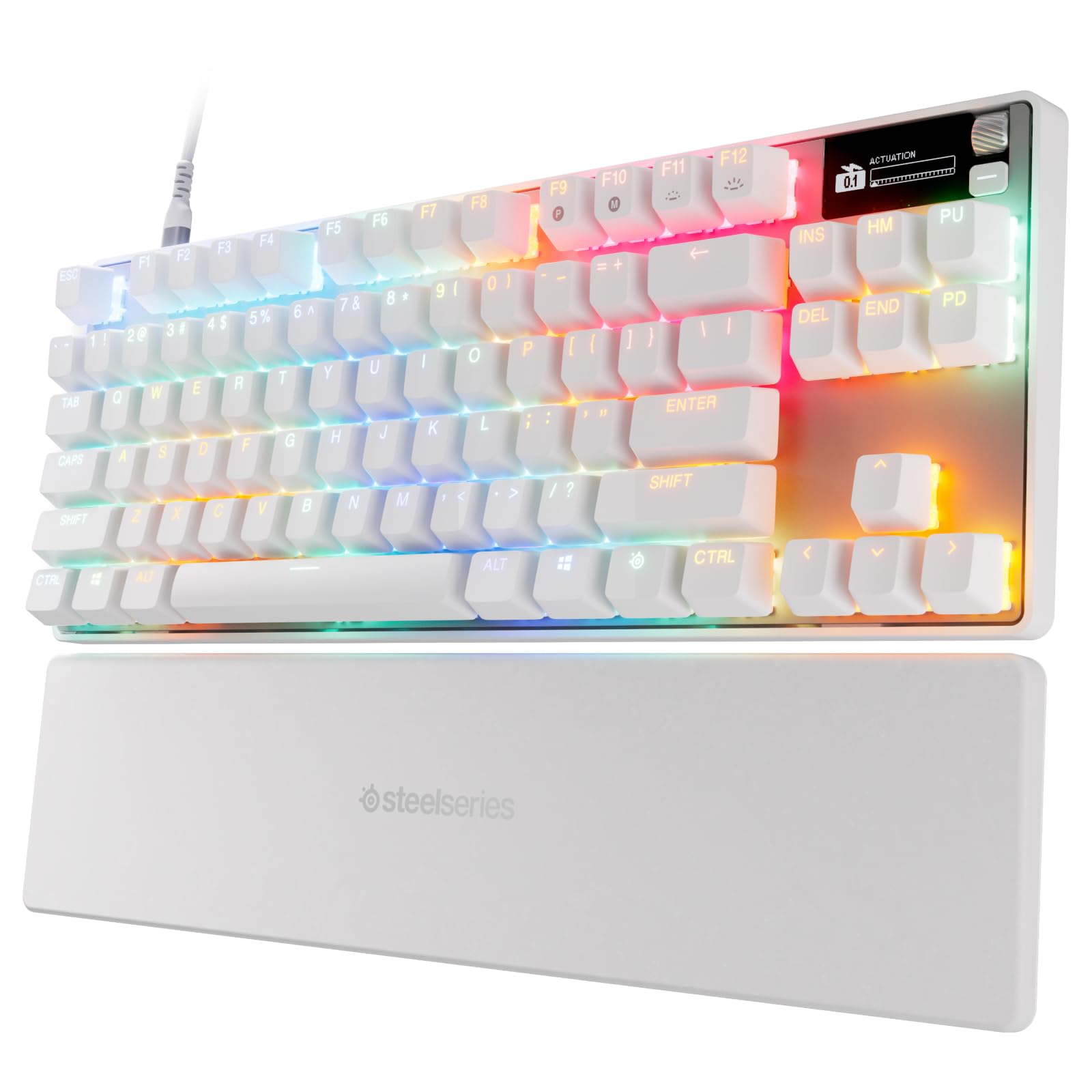
500+ ratings
Read Amazon ReviewsSteelSeries Apex Pro TKL Gen 3
Consider the Apex Pro TKL Gen 3 if adjustable actuation and its advanced gaming controls are priorities and you are comfortable choosing a more feature-rich model.
The Apex 3 TKL is a more straightforward match if quiet switches, compactness, and basic lighting are enough.
- The Apex Pro TKL Gen 3 uses adjustable analog magnetic switches with 40 actuation levels, plus Rapid Trigger, Rapid Tap, Protection Mode, an OLED display, and onboard configurations.
- The Apex 3 TKL emphasizes quiet switches and simple eight-zone lighting in a compact layout.
Is Apex 3 TKL Worth It?
The SteelSeries Apex 3 TKL is worth considering for players who want a compact keyboard with quiet switches, anti-ghosting inputs, and simple RGB customization.
Its resistance to water and dust adds useful everyday protection, but the layout is still a TKL design rather than a full-size work keyboard.
Buy it when desk space and quieter use matter more than a number pad or highly granular lighting.
If those tradeoffs do not match your routine, choose a layout or control set that better supports the way you work and play.
Your review at a glance
2,000+ ratings
Read Amazon ReviewsSteelSeries Apex 3 TKL
A space-saving wired gaming keyboard for players who want quiet switches, customizable lighting, and a compact tenkeyless layout.
- Tenkeyless (TKL) layout designed to maximize desk space.
- Anti-ghosting keys for handling simultaneous inputs.
- Whisper-quiet gaming switches designed for nearly silent use.
- Switches rated for 20 million low-friction keypresses.